 Firefox
 1 / 8
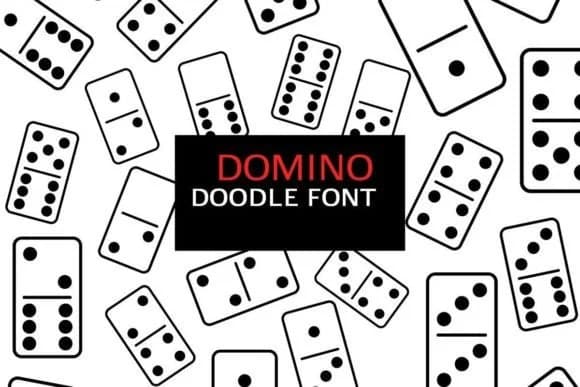
1 / 8About Domino Doodle Font
Hand-drawn shapes and ornamental characters form the foundation of Domino Doodle, a dingbat collection by digitalplannerland. The letterforms lean into whimsical decoration, offering both outline and solid versions that work equally well in digital or print contexts. What sets this font apart is its dual purpose as both a character set and a clipart resource, thanks to its availability in OTF, TTF, PNG, and SVG formats, making it flexible across different design workflows.
The real strength lies in how adaptable it is across specific projects. Wedding invitation suites benefit from its delicate ornamental borders, while digital planner spreads come alive with quick divider elements and corner decorations that don't need extra graphic files. Bullet journal layouts and scrapbooking projects both lean heavily on dingbat fonts to add visual interest and texture without needing a separate asset library. For anyone designing children's activity books or card-making templates, these doodles provide that hand-sketched charm that feels personal and inviting rather than stiff.
Domino Doodle works beautifully for printable stickers, craft project embellishments, and decorative page elements, delivering a consistent aesthetic without demanding deep design skills. The outline and solid variations give you real flexibility within a cohesive style. This suits designers and creators who want instant visual impact with minimal fuss. Grab it on Creative Fabrica and start building your next project.
Style & Use Cases
- Overall Style
- Iconographic, Doodle
- Use Case
- Icons, Accents
- Ideal For
- ornaments, bullets, and decorative flourishes
- Pairs With
- any text font
How to Install Domino Doodle Font
Step-by-step instructions for every platform
- 1Download the Domino Doodle font file (.ttf or .otf).
- 2Locate the downloaded file in your Downloads folder.
- 3Right-click the font file.
- 4Select "Install" to install for the current user, or "Install for all users" to make it available system-wide.
- 5Domino Doodle is now available in Word, Photoshop, Illustrator, and all other apps.
More by digitalplannerland
View all →
Browse fonts by theme
Curated collections →Saw a font in a picture? Identify any font from an image with our free Font Finder.
More Dingbats Fonts
Browse all →







What pairs well with Domino Doodle Font?
Domino Doodle Font is a versatile dingbats font that works for both headings and body text. Pair it with a contrasting sans-serif or serif font to add visual interest and a clear distinction between titles and body copy.



Domino Doodle Font
Reviewed by the FontBoxDL team · Updated July 2026