 Firefox
 1 / 10
About Ding 2 Extra Font
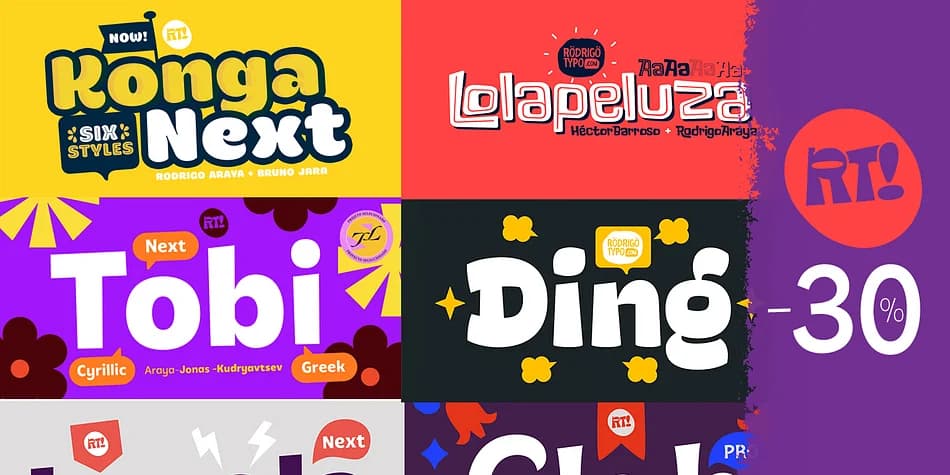
You're designing a wedding invitation suite with layered ornaments and custom border flourishes. Ding 2 Extra from Rodrigo Typo is built for exactly this kind of work. This extended dingbat font family goes far beyond basic symbol collections, offering genuine design flexibility through its systematic approach to layers, shadows, and varied line weights that create real visual depth without requiring multiple fonts.
The font shines in detailed projects like stationery suites with dimensional ornaments, product packaging labels with decorative corner accents, DIY craft signage with ornamental frames, and handcrafted greeting card layouts that need both structure and personality. It includes comprehensive support for Cyrillic characters, so your design work stretches across language barriers. You'll find multiple ligatures throughout that combine naturally during typesetting, plus alternate versions of key symbols that let you refine a mark without hunting through different fonts.
When you set the ornaments at display sizes, the layering system becomes particularly clear, revealing depth that transforms basic symbols into intentional design elements. The combination of standard, shadowed, and outlined variations in a single font file means fewer library decisions and more time creating. Grab it from Creative Fabrica whenever you're ready to expand your symbol toolkit.
Style & Use Cases
- Overall Style
- Iconographic
- Use Case
- Icons, Accents
- Ideal For
- ornaments, bullets, and decorative flourishes
- Pairs With
- any text font
How to Install Ding 2 Extra Font
Step-by-step instructions for every platform
- 1Download the Ding 2 Extra font file (.ttf or .otf).
- 2Locate the downloaded file in your Downloads folder.
- 3Right-click the font file.
- 4Select "Install" to install for the current user, or "Install for all users" to make it available system-wide.
- 5Ding 2 Extra is now available in Word, Photoshop, Illustrator, and all other apps.
More by Rodrigo Typo
View all →
Browse fonts by theme
Curated collections →Saw a font in a picture? Identify any font from an image with our free Font Finder.
More Dingbats Fonts
Browse all →







What pairs well with Ding 2 Extra Font?
Ding 2 Extra Font is a versatile dingbats font that works for both headings and body text. Pair it with a contrasting sans-serif or serif font to add visual interest and a clear distinction between titles and body copy.



Ding 2 Extra Font
by Rodrigo Typo
Reviewed by the FontBoxDL team · Updated August 2026