 Firefox
 1 / 5
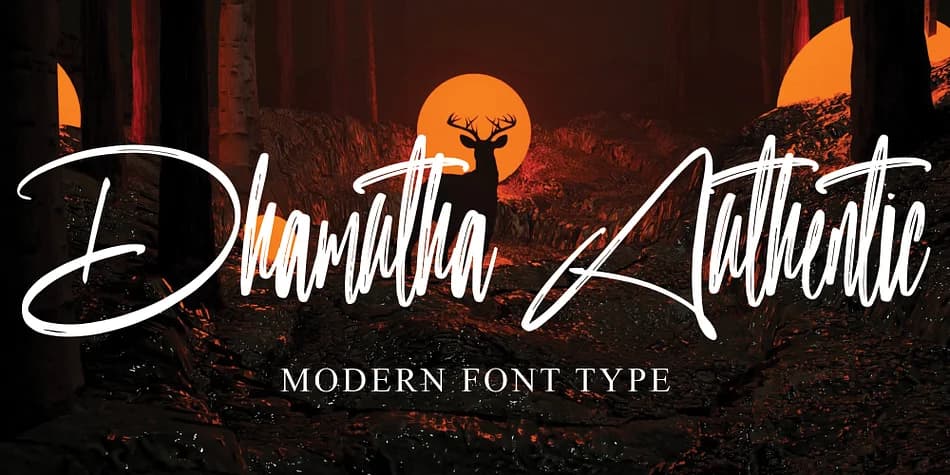
1 / 5About Dhamutha Authentic Font
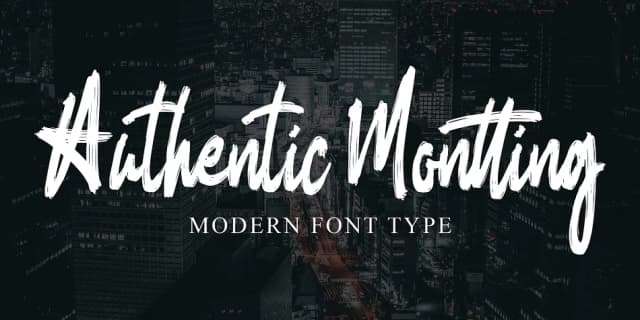
Dhamutha Authentic by Ayska strikes a smart balance between refined, controlled letterforms and the loose, organic feel of genuine handwriting. The characters carry that authentic drawn-by-hand energy without looking careless or difficult to read, creating a script that reads as both approachable and polished all at once.
This font finds real purpose in design work where a personal touch actually matters. Wedding invitation suites gain warmth and personality from the flowing letterforms, while custom greeting cards and thank-you notes get genuine character and emotional depth that typed words simply can't match. Small-batch brands working on product labels for skincare lines, artisanal candles, or boutique cosmetics will appreciate how the script suggests handcrafted care without becoming overly ornamental or hard to read. Scrapbookers and craft sign makers can tap into that sketched, organic feeling while keeping work legible and intentional. Even blog headers and social graphics benefit from the human-drawn quality that stands out from typical typefaces.
The font works best for creators and brands who want their work to feel genuinely handmade rather than mass-produced or templated. It brings that human quality to your designs without needing actual handwriting skills. You'll find Dhamutha Authentic on Creative Fabrica, ready to add authentic character to whatever you're making next.
Style & Use Cases
- Overall Style
- Elegant, Flowing
- Use Case
- Invitations, Branding
- Ideal For
- wedding stationery, greeting cards, and signatures
- Pairs With
- a simple uppercase sans
How to Install Dhamutha Authentic Font
Step-by-step instructions for every platform
- 1Download the Dhamutha Authentic font file (.ttf or .otf).
- 2Locate the downloaded file in your Downloads folder.
- 3Right-click the font file.
- 4Select "Install" to install for the current user, or "Install for all users" to make it available system-wide.
- 5Dhamutha Authentic is now available in Word, Photoshop, Illustrator, and all other apps.
Browse fonts by theme
Curated collections →Saw a font in a picture? Identify any font from an image with our free Font Finder.
More Script Handwritten Fonts
Browse all →







What pairs well with Dhamutha Authentic Font?
Dhamutha Authentic Font is a script font that shines as a display or heading face. Pair it with a clean sans-serif or serif font for body text — the contrast creates a clear hierarchy while the two styles stay balanced and easy to read.



Dhamutha Authentic Font
by Ayska
Reviewed by the FontBoxDL team · Updated July 2026