 Firefox
 1 / 8
1 / 8Loading font…
About Design Element Font
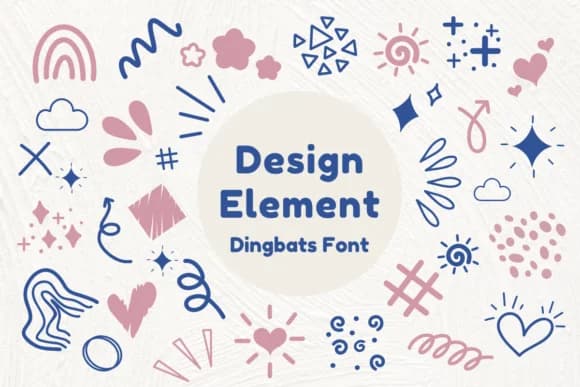
Design Element, created by Nun Sukhwan, is a dingbat font built from abstract, hand-drawn shapes that combine ornamental flourishes with contemporary geometry. Rather than attempting to mimic traditional letterforms, this collection leans into pure decoration, delivering delicate botanical elements and vintage-inspired details that feel like deliberate design choices rather than generic filler.
This font works particularly well for wedding invitation suites where personalized touches enhance the overall aesthetic, custom t-shirt graphics that need distinctive visual marks to stand out, handmade sticker designs for Etsy sellers, and Valentine cards that require symbolic accents beyond text alone. Each shape functions both as a standalone decorative element and when layered into larger compositions, adapting easily to digital work and traditional print projects alike. The variety of marks supports both building cohesive ornamental patterns and pulling individual elements into mixed-media layouts, where the symbols serve as visual punctuation or standalone focal points.
Designers and makers drawn to hand-crafted, character-driven aesthetics will find genuine value in these marks. Design Element brings real personality and visual distinction to projects that might otherwise default to standard, templated design solutions. Grab it on Creative Fabrica and start building your collection with these distinctive marks.
Style & Use Cases
- Overall Style
- Iconographic, Design Element
- Use Case
- Icons, Accents
- Ideal For
- ornaments, bullets, and decorative flourishes
- Pairs With
- any text font
How to Install Design Element Font
Step-by-step instructions for every platform
- 1Download the Design Element font file (.ttf or .otf).
- 2Locate the downloaded file in your Downloads folder.
- 3Right-click the font file.
- 4Select "Install" to install for the current user, or "Install for all users" to make it available system-wide.
- 5Design Element is now available in Word, Photoshop, Illustrator, and all other apps.
More by Nun Sukhwan
View all →



Browse fonts by theme
Curated collections →Saw a font in a picture? Identify any font from an image with our free Font Finder.
More Dingbats Fonts
Browse all →







What pairs well with Design Element Font?
Design Element Font is a versatile dingbats font that works for both headings and body text. Pair it with a contrasting sans-serif or serif font to add visual interest and a clear distinction between titles and body copy.



Design Element Font
by Nun Sukhwan
Reviewed by the FontBoxDL team · Updated October 2026