 Firefox
 1 / 8
1 / 8About Dental Clinic Font
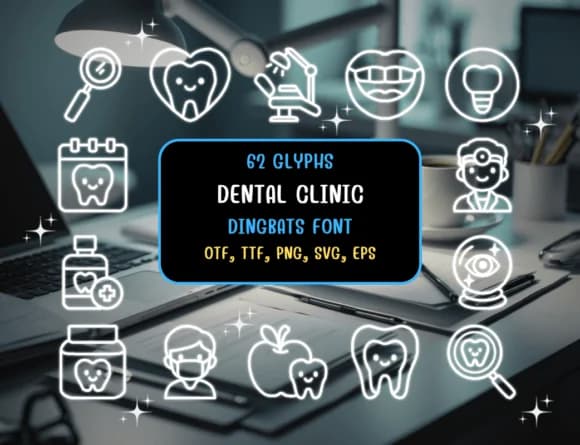
Clean and minimal. Dental Clinic by Distiny4919 brings professional visual clarity to dental communication. The dingbat font contains 62 meticulously drawn icons covering the full scope of dental practice: teeth at various stages, toothbrushes, implants, floss, clinical instruments, hygienists, and dentist figures. Each icon maintains the minimalist line weight that stays sharp from tiny website favicons through medium appointment cards to full-size social media graphics.
Appointment reminder cards for dental practices instantly gain credibility from this font's polish and clarity. Educational infographics explaining oral hygiene routines come across as both accessible and authoritative. Social media graphics promoting dental health campaigns feel purposeful rather than generic, and website icon systems built from these glyphs establish a cohesive visual identity for any practice. You get the flexibility to extract individual icons for patient education materials, clinic intake forms, promotional flyers, treatment explanation posters, and waiting room signage.
The package delivers in OTF, TTF, PNG, SVG, and EPS formats, giving you options for use as working fonts or extracting individual glyphs for layouts. Pair Dental Clinic with a straightforward sans-serif like Open Sans or Roboto for body text on patient materials, and you establish a professional visual language that builds patient trust. Find it on Creative Fabrica.
Style & Use Cases
- Overall Style
- Iconographic, Dental Dingbats
- Use Case
- Icons, Accents
- Ideal For
- ornaments, bullets, and decorative flourishes
- Pairs With
- any text font
How to Install Dental Clinic Font
Step-by-step instructions for every platform
- 1Download the Dental Clinic font file (.ttf or .otf).
- 2Locate the downloaded file in your Downloads folder.
- 3Right-click the font file.
- 4Select "Install" to install for the current user, or "Install for all users" to make it available system-wide.
- 5Dental Clinic is now available in Word, Photoshop, Illustrator, and all other apps.
Browse fonts by theme
Curated collections →Saw a font in a picture? Identify any font from an image with our free Font Finder.
More Dingbats Fonts
Browse all →







What pairs well with Dental Clinic Font?
Dental Clinic Font is a versatile dingbats font that works for both headings and body text. Pair it with a contrasting sans-serif or serif font to add visual interest and a clear distinction between titles and body copy.



Dental Clinic Font
by Distiny4919
Reviewed by the FontBoxDL team · Updated June 2026