 Firefox
 1 / 8
1 / 8About Dark Leaf Font
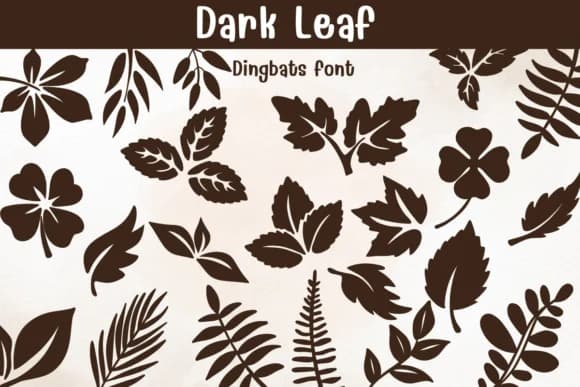
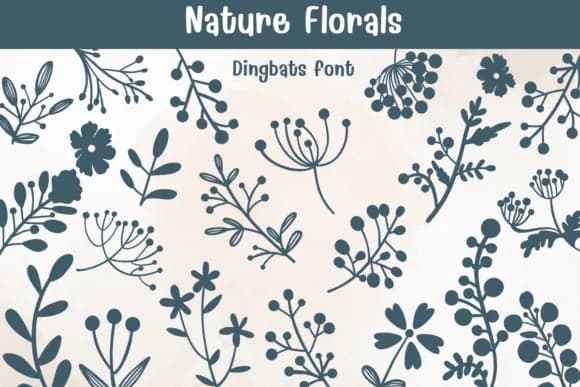
Dark Leaf from designer Sontaya offers a substantial collection of botanical silhouettes organized as dingbat characters. The font captures the distinctive shapes of various leaves and foliage in solid, striking forms, ranging from the jagged edges of fern fronds to the open palmate structure of maple leaves. Throughout the set, visual weight remains consistent, and the organic geometry of each character conveys the sensibility of hand-drawn work rather than algorithmic simplification.
The solid silhouettes prove particularly useful for herbal and botanical product labels, cottagecore branding systems, nature journal decoration sets, and DIY botanical wall signage. Since each glyph maintains clarity at small sizes while scaling confidently larger, the font works for both digital mockups and printed applications without losing legibility. Many designers and crafters reach for fonts like this when building a cohesive visual system of nature motifs, especially when sourcing individual botanical illustrations from multiple vendors would be time-intensive and costly. The consistency of line weight across the entire character set makes mixing and matching glyphs feel intentional rather than random.
If your project centers on natural aesthetics, wellness branding, or environmental storytelling, this dingbat collection provides exactly what you need. You'll find Dark Leaf on Creative Fabrica, ready to integrate into your toolkit.
Style & Use Cases
- Overall Style
- Iconographic, Diy
- Use Case
- Icons, Accents
- Ideal For
- ornaments, bullets, and decorative flourishes
- Pairs With
- any text font
How to Install Dark Leaf Font
Step-by-step instructions for every platform
- 1Download the Dark Leaf font file (.ttf or .otf).
- 2Locate the downloaded file in your Downloads folder.
- 3Right-click the font file.
- 4Select "Install" to install for the current user, or "Install for all users" to make it available system-wide.
- 5Dark Leaf is now available in Word, Photoshop, Illustrator, and all other apps.
Browse fonts by theme
Curated collections →Saw a font in a picture? Identify any font from an image with our free Font Finder.
More Dingbats Fonts
Browse all →







What pairs well with Dark Leaf Font?
Dark Leaf Font is a versatile dingbats font that works for both headings and body text. Pair it with a contrasting sans-serif or serif font to add visual interest and a clear distinction between titles and body copy.



Dark Leaf Font
by Sontaya
Reviewed by the FontBoxDL team · Updated July 2026