 Firefox
 1 / 6
1 / 6About Cutes Font
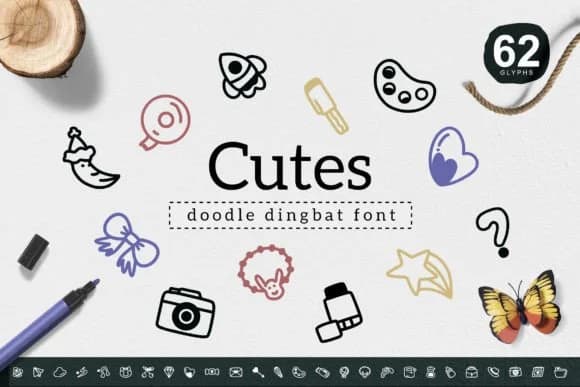
You're designing sticker packs for an online shop and need simple, friendly icons that feel handmade without looking amateur. Cutes, by YandiDesigns, is a dingbat font packed with charming illustrated symbols that solve exactly this problem. The handdrawn linework gives everything a genuine, approachable quality that works across scales, from tiny planner stickers to large vinyl decals for water bottles and laptops.
Dingbat fonts like this shine when you need quick visual flair without commissioning custom illustrations. Vinyl sticker collections, greeting card decoration, t-shirt heat-transfer graphics, and scrapbooking layout elements all benefit from Cutes' playful line-based objects. The symbols feel cohesive as a set while working independently, so mixing and matching across a single design doesn't look chaotic. Use them at large sizes for impact on product packaging or scale them down for social media graphics and digital planners.
The straightforward line weight keeps everything sharp at small sizes and readable when enlarged for signage, while the handmade feel actually strengthens across different printing mediums. Pull Cutes from Creative Fabrica and start building your own library of quick design solutions.
Style & Use Cases
- Overall Style
- Iconographic, Cutes
- Use Case
- Icons, Accents
- Ideal For
- ornaments, bullets, and decorative flourishes
- Pairs With
- any text font
How to Install Cutes Font
Step-by-step instructions for every platform
- 1Download the Cutes font file (.ttf or .otf).
- 2Locate the downloaded file in your Downloads folder.
- 3Right-click the font file.
- 4Select "Install" to install for the current user, or "Install for all users" to make it available system-wide.
- 5Cutes is now available in Word, Photoshop, Illustrator, and all other apps.
More by YandiDesigns
View all →
Browse fonts by theme
Curated collections →Saw a font in a picture? Identify any font from an image with our free Font Finder.
More Dingbats Fonts
Browse all →







What pairs well with Cutes Font?
Cutes Font is a versatile dingbats font that works for both headings and body text. Pair it with a contrasting sans-serif or serif font to add visual interest and a clear distinction between titles and body copy.



Cutes Font
by YandiDesigns
Reviewed by the FontBoxDL team · Updated July 2026