 Firefox
 1 / 8
1 / 8About Cozy Knits Font
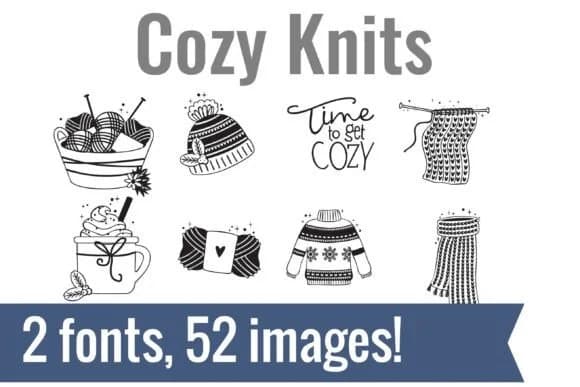
This dingbat font radiates the comfort of a wool sweater on a cold day. Cozy Knits, designed by Illustration Ink, pairs two coordinated typefaces with 52 handcrafted winter icons that translate letters into tactile, ready-to-cut graphics. You get yarn baskets, chunky beanies, steaming mugs of cocoa, snowflake sweaters, scarves, and a "Time to get COZY" stamp, each with careful line work that mimics real knitting texture and the visual weight of woven stitches.
The real strength here is how instantly usable these glyphs are. Install the font, type a character, and a scalable graphic appears in your design software or cutting machine immediately. That workflow saves hours for people making holiday greeting cards, handmade seller packaging labels, winter classroom bulletin boards, and cozy stationery collections. Small business owners selling seasonal items, vinyl cutters, and paper crafters will especially appreciate having dozens of cohesive design elements in one font file instead of hunting down individual graphics across multiple sources. Every icon scales cleanly without pixelation, working just as well at small print sizes as it does for large signage and wall displays.
Pair these winter symbols with a clean, minimal sans-serif for any body text that needs to sit alongside them. Both fonts are available on Creative Fabrica, ready to install and use immediately.
Style & Use Cases
- Overall Style
- Iconographic, Christmas Font
- Use Case
- Icons, Accents
- Ideal For
- ornaments, bullets, and decorative flourishes
- Pairs With
- any text font
How to Install Cozy Knits Font
Step-by-step instructions for every platform
- 1Download the Cozy Knits font file (.ttf or .otf).
- 2Locate the downloaded file in your Downloads folder.
- 3Right-click the font file.
- 4Select "Install" to install for the current user, or "Install for all users" to make it available system-wide.
- 5Cozy Knits is now available in Word, Photoshop, Illustrator, and all other apps.
More by Illustration Ink
View all →



Browse fonts by theme
Curated collections →Saw a font in a picture? Identify any font from an image with our free Font Finder.
More Dingbats Fonts
Browse all →







What pairs well with Cozy Knits Font?
Cozy Knits Font is a versatile dingbats font that works for both headings and body text. Pair it with a contrasting sans-serif or serif font to add visual interest and a clear distinction between titles and body copy.



Cozy Knits Font
Reviewed by the FontBoxDL team · Updated June 2026