 Firefox
 1 / 8
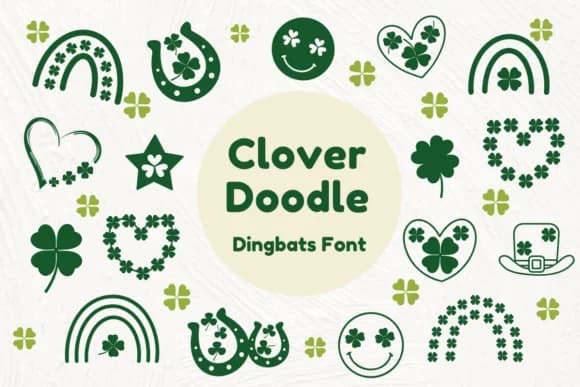
1 / 8About Clover Doodle Font
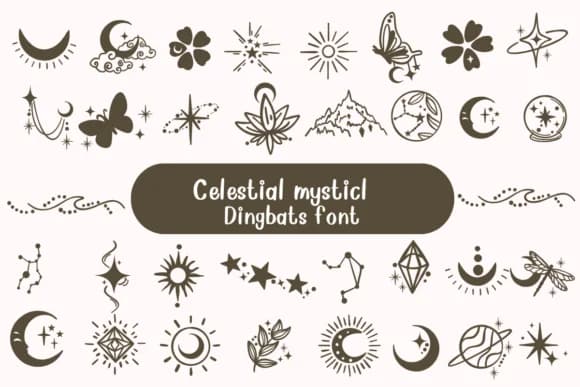
Imagine pulling together a batch of custom sticker sheets for your Etsy shop, or designing playful teacher reward labels for a classroom bulletin board. Clover Doodle, designed by Nun Sukhwan, is a dingbats font that trades traditional letters for hand-sketched decorative symbols. Each character feels like it was drawn by hand, giving projects an authentic warmth that polished commercial fonts often lack. The sketched, vintage energy suits everything from holiday designs to everyday craft work and seasonal celebrations.
This font shines brightest on sticker sheets, gift tag designs, scrapbooking layouts, and greeting cards that need personality. At small sizes, it adds texture and detail to embellishments, while larger applications turn it into a bold statement graphic on t-shirt designs or custom tote bags. Its monochrome palette keeps things clean whether you layer it with colors or use it as a standalone element, making it useful across seasonal themes, vintage-inspired branding, and kids' craft projects that celebrate hand-drawn authenticity.
It ships with solid spacing and sizing, ready to drop into any project without wrestling with technical details or hunting for missing glyphs. Find Clover Doodle on Creative Fabrica and add that hand-drawn sensibility to your next batch of stickers or designs.
Style & Use Cases
- Overall Style
- Iconographic, Clover Doodle
- Use Case
- Icons, Accents
- Ideal For
- ornaments, bullets, and decorative flourishes
- Pairs With
- any text font
How to Install Clover Doodle Font
Step-by-step instructions for every platform
- 1Download the Clover Doodle font file (.ttf or .otf).
- 2Locate the downloaded file in your Downloads folder.
- 3Right-click the font file.
- 4Select "Install" to install for the current user, or "Install for all users" to make it available system-wide.
- 5Clover Doodle is now available in Word, Photoshop, Illustrator, and all other apps.
More by Nun Sukhwan
View all →

Browse fonts by theme
Curated collections →Saw a font in a picture? Identify any font from an image with our free Font Finder.
More Dingbats Fonts
Browse all →





What pairs well with Clover Doodle Font?
Clover Doodle Font is a versatile dingbats font that works for both headings and body text. Pair it with a contrasting sans-serif or serif font to add visual interest and a clear distinction between titles and body copy.



Clover Doodle Font
by Nun Sukhwan
Reviewed by the FontBoxDL team · Updated August 2026