 Firefox
 1 / 4
1 / 4About Cloudy Smoke Font
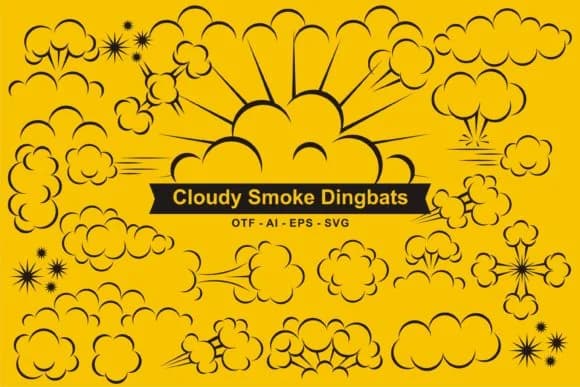
You're laying out a comic strip when you need authentic-looking explosion effects and speech bubbles to punch up the action on the page. Cloudy Smoke by edywiyonopp delivers exactly that: a dingbat collection built around dynamic comic and impact elements. Instead of hunting for separate graphics or tracing effects by hand, you get the visual language already typeset and ready to scale to any size.
This font works for several specific creative projects. Comic book lettering artists use it for sound effect text and blast graphics that need that classic comic book feel. Designers creating retro action movie posters rely on its explosion shapes and smoke effect characters to sell the drama. Sticker sheets for tabletop games benefit from the variety of impact marks and comic-style graphics, giving game masters more options for tokens and markers. DIY craft enthusiasts building explosion-themed t-shirt designs or scrapbook elements find it cuts production time significantly.
The full character set gives you multiple variations of each effect, so you're not limited to one interpretation of a boom or cloud. That flexibility matters when you're working through a series of designs and need subtle shifts in visual weight or style. Get Cloudy Smoke on Creative Fabrica and you'll have it installed and ready to use in minutes.
Style & Use Cases
- Overall Style
- Iconographic, Comic
- Use Case
- Icons, Accents
- Ideal For
- ornaments, bullets, and decorative flourishes
- Pairs With
- any text font
How to Install Cloudy Smoke Font
Step-by-step instructions for every platform
- 1Download the Cloudy Smoke font file (.ttf or .otf).
- 2Locate the downloaded file in your Downloads folder.
- 3Right-click the font file.
- 4Select "Install" to install for the current user, or "Install for all users" to make it available system-wide.
- 5Cloudy Smoke is now available in Word, Photoshop, Illustrator, and all other apps.
More by edywiyonopp
View all →


Browse fonts by theme
Curated collections →Saw a font in a picture? Identify any font from an image with our free Font Finder.
More Dingbats Fonts
Browse all →







What pairs well with Cloudy Smoke Font?
Cloudy Smoke Font is a versatile dingbats font that works for both headings and body text. Pair it with a contrasting sans-serif or serif font to add visual interest and a clear distinction between titles and body copy.



Cloudy Smoke Font
by edywiyonopp
Reviewed by the FontBoxDL team · Updated July 2026