 Firefox
 1 / 3
1 / 3About Christmas Icons Font
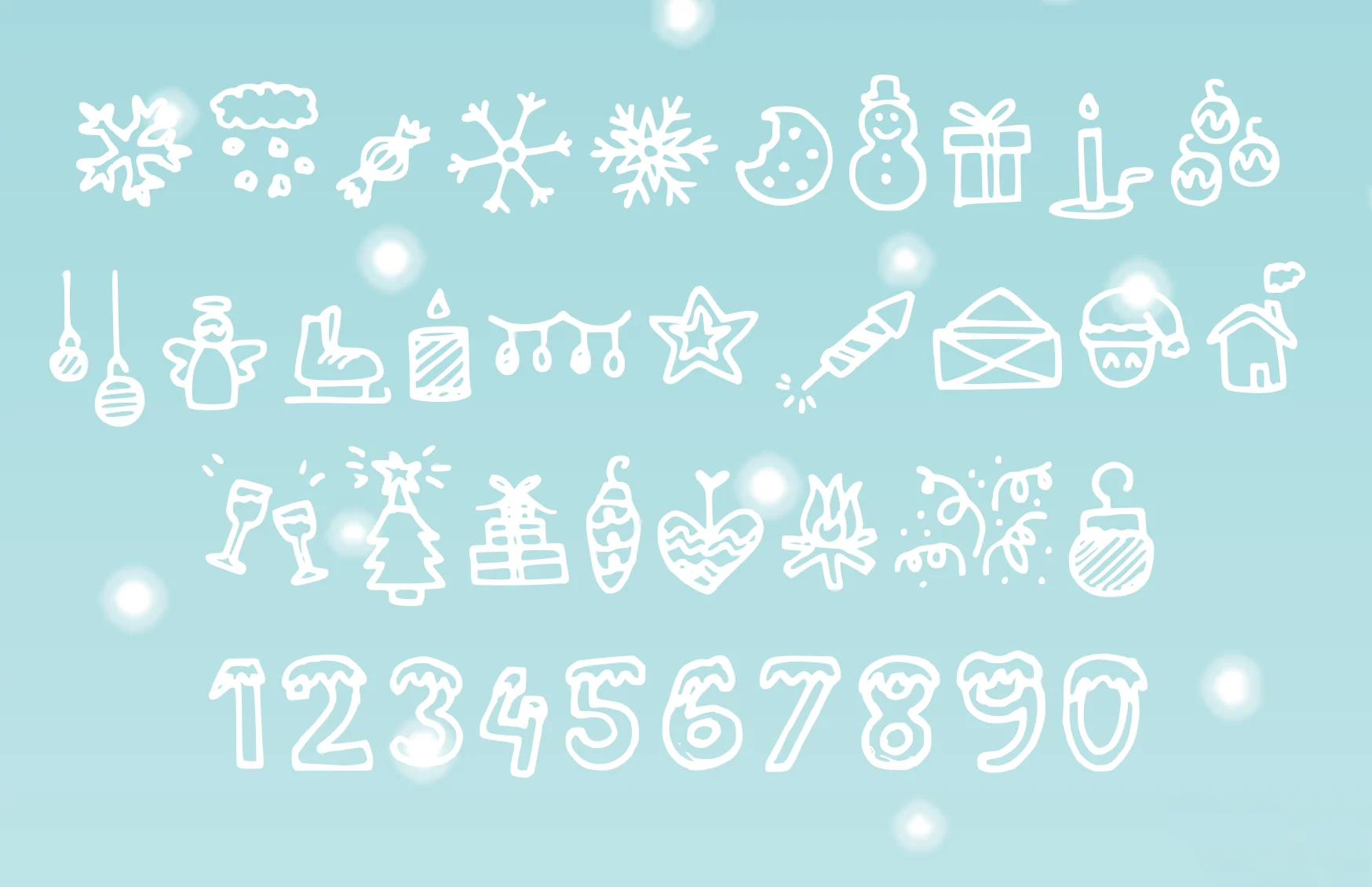
Christmas Icons by studiomies is a festive dingbat collection that brings authentic holiday character to your seasonal projects. Each glyph captures traditional winter imagery with genuine character, giving you flexible building blocks for designs that feel handcrafted rather than pulled from a template library. The set works beautifully for personalized Christmas cards, gift tags and labels, custom holiday stationery packages, and festive social media graphics throughout the season.
Beyond basic greetings, these icons open up creative possibilities for scrapbooking layouts, DIY gift wrapping designs, seasonal event invitations, and custom packaging for small businesses. You can layer elements to build entirely original compositions, or use individual glyphs as decorative accents and focal points throughout a design. The variety in the collection means you're never locked into one visual direction or forced to rely on the same tired holiday iconography.
What makes this dingbat set particularly useful is how it sidesteps the mass-produced feel that plagues standard holiday graphics. When you're building combinations and arrangements yourself, your personalized projects naturally feel more intentional and thoughtful. The glyphs give you enough variation to create something that genuinely reflects your style rather than settling for generic holiday decoration. Find Christmas Icons on Creative Fabrica and bring your holiday designs to life.
Style & Use Cases
- Overall Style
- Iconographic
- Use Case
- Icons, Accents
- Ideal For
- ornaments, bullets, and decorative flourishes
- Pairs With
- any text font
How to Install Christmas Icons Font
Step-by-step instructions for every platform
- 1Download the Christmas Icons font file (.ttf or .otf).
- 2Locate the downloaded file in your Downloads folder.
- 3Right-click the font file.
- 4Select "Install" to install for the current user, or "Install for all users" to make it available system-wide.
- 5Christmas Icons is now available in Word, Photoshop, Illustrator, and all other apps.
Browse fonts by theme
Curated collections →Saw a font in a picture? Identify any font from an image with our free Font Finder.
More Dingbats Fonts
Browse all →







What pairs well with Christmas Icons Font?
Christmas Icons Font is a versatile dingbats font that works for both headings and body text. Pair it with a contrasting sans-serif or serif font to add visual interest and a clear distinction between titles and body copy.




Christmas Icons Font
by studiomies
Reviewed by the FontBoxDL team · Updated July 2026