 Firefox
 1 / 5
1 / 5About Chatting Font
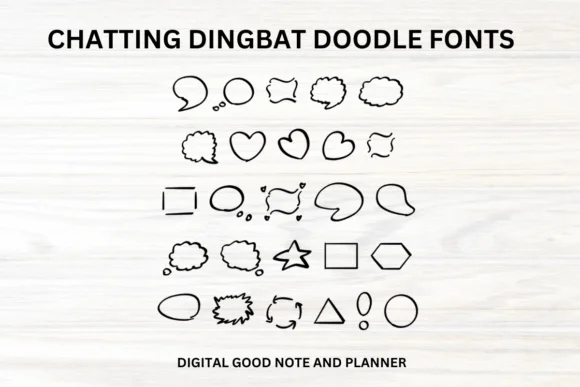
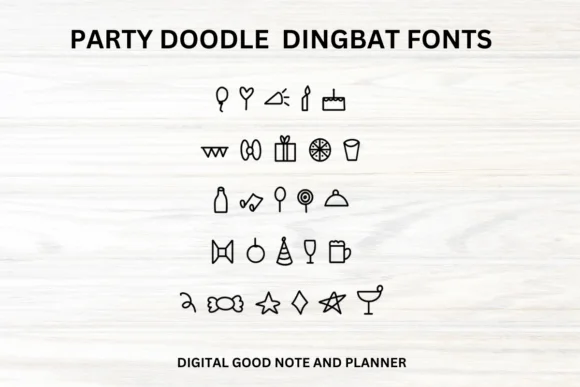
Chatting by fonty88 is a hand-drawn dingbat font that brings warmth to digital note-taking. Use it on an iPad for capturing ideas, embed it in your digital planner pages, or integrate it into classroom materials where a friendly touch matters more than formality. This informal character set adds visual personality without the need to hand-draw every element.
The real power of dingbat fonts lies in their glyphs functioning as ornamental elements. Chatting's hand-drawn style works beautifully as conversational callouts, margin illustrations, or decorative flourishes in layouts that feel heavy on text. Teachers rely on this approach constantly when designing student handouts. Digital scrapbookers use dingbat fonts to create custom elements for memory layouts. Anyone designing Notion workspace templates knows how valuable a symbol font becomes for breaking up content and adding personality to planning spreads.
Since each character maps to a unique illustration or ornament, Chatting gives you maximum flexibility for customization. Planner spreads benefit especially from this approach, where custom bullet markers and thought bubbles can transform a standard layout into something distinctly yours. Grab Chatting on Creative Fabrica and begin adding hand-drawn warmth to your digital projects.
Style & Use Cases
- Overall Style
- Iconographic, Chatting
- Use Case
- Icons, Accents
- Ideal For
- ornaments, bullets, and decorative flourishes
- Pairs With
- any text font
How to Install Chatting Font
Step-by-step instructions for every platform
- 1Download the Chatting font file (.ttf or .otf).
- 2Locate the downloaded file in your Downloads folder.
- 3Right-click the font file.
- 4Select "Install" to install for the current user, or "Install for all users" to make it available system-wide.
- 5Chatting is now available in Word, Photoshop, Illustrator, and all other apps.
More by fonty88
View all →
Browse fonts by theme
Curated collections →Saw a font in a picture? Identify any font from an image with our free Font Finder.
More Dingbats Fonts
Browse all →







What pairs well with Chatting Font?
Chatting Font is a versatile dingbats font that works for both headings and body text. Pair it with a contrasting sans-serif or serif font to add visual interest and a clear distinction between titles and body copy.




Chatting Font
by fonty88
Reviewed by the FontBoxDL team · Updated August 2026