Firefox
 1 / 3
1 / 3Loading font…
About Braille Type Font
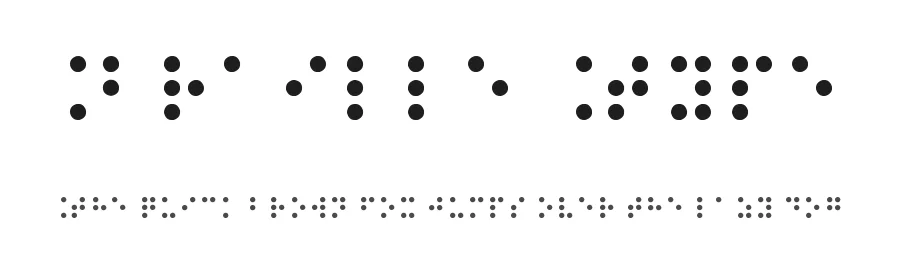
Braille Type is a dingbats font offering 236 symbols designed for adding decorative and functional elements to creative projects. Designed by Chiara Zanotti and supporting 209+ Latin-based languages, this collection works across international design contexts. The comprehensive glyph set supplies distinctive borders, ornaments, directional markers, and symbolic imagery beyond what standard letter-based fonts typically provide.
Apply Braille Type to wedding invitation suites, where custom symbols frame text, mark design elements, or replace traditional decorative flourishes on cards and envelopes. Scrapbooking pages benefit significantly from its embellishment options, creating visual texture and interest in hand-crafted layouts without repetitive choices. Greeting card designs gain distinctive character through its diverse iconography, letting you express sentiment through unique marks rather than relying solely on letter forms. Poster design and event signage can employ these symbols to organize information hierarchically or highlight key announcements in promotional contexts.
Available as a free download from this page with licence terms shown on the site (do not claim commercial rights). Choose Braille Type when you want distinctive symbols that add craft and personality to layouts, offering character and specificity without needing a separate graphics editor or icon library.
Style & Use Cases
- Overall Style
- Iconographic, Dingbats
- Use Case
- Icons, Accents
- Ideal For
- ornaments, bullets, and decorative flourishes
- Pairs With
- any text font
Braille Type Specifications
| Font Family | Braille Type |
| Style | Normal |
| Full Name | Braille Type |
| Version | 1.00 April 21, 2012, initial release |
| Weight | 400 (Regular) |
| Glyph Count | 236 glyphs |
| PostScript Name | BrailleType |
| Format | TTF (TrueType) |
| File Size | 30 KB |
Languages Supported
Braille Type supports 209 languages.
How to Install Braille Type Font
Step-by-step instructions for every platform
- 1Download the Braille Type font file (.ttf or .otf).
- 2Locate the downloaded file in your Downloads folder.
- 3Right-click the font file.
- 4Select "Install" to install for the current user, or "Install for all users" to make it available system-wide.
- 5Braille Type is now available in Word, Photoshop, Illustrator, and all other apps.
Browse fonts by theme
Curated collections →Saw a font in a picture? Identify any font from an image with our free Font Finder.
More Dingbats Fonts
Browse all →







What pairs well with Braille Type Font?
Braille Type Font is a versatile dingbats font that works for both headings and body text. Pair it with a contrasting sans-serif or serif font to add visual interest and a clear distinction between titles and body copy.




Premium Dingbats Fonts
★ PremiumWant something with more weights, glyphs, and commercial polish? These premium dingbats fonts are worth a look.