 Firefox
 1 / 7
1 / 7About Blueberry Tart Font
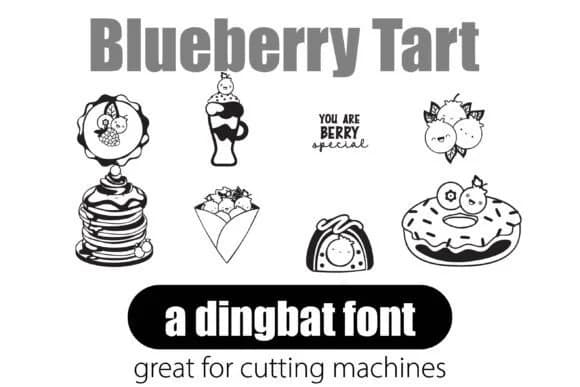
Imagine designing a bakery's social media campaign and needing cute, cohesive illustrations to tie everything together. That's where Blueberry Tart, created by Illustration Ink, becomes invaluable. This dingbat font gives you 26 charming, kawaii-style fruit and dessert illustrations in one typeface. Each character functions as a standalone graphic, so you can use them for cafe menu headers, cupcake box labels, or baking blog post decorations without hunting for separate image files.
The real advantage of a dingbat font is that it's instantly printable and scales to any size without losing quality. These icons work across Canva, Adobe, and Microsoft Office. You might deploy them for a podcast cover about sweets, a greeting card layout, or a sticker sheet design for a pastry business. The consistent line weight and vector construction mean everything looks intentional and polished, whether it's small (as a bullet point or tag) or blown up large on packaging.
What makes this font practical is that you just type letters to get ready-made graphics. No drawing skills needed, no waiting for a designer to build custom assets. Grab Blueberry Tart on Creative Fabrica and you'll have a cohesive visual language that makes dessert-themed projects feel put-together and thoughtfully designed.
Style & Use Cases
- Overall Style
- Iconographic, Dingbat
- Use Case
- Icons, Accents
- Ideal For
- ornaments, bullets, and decorative flourishes
- Pairs With
- any text font
How to Install Blueberry Tart Font
Step-by-step instructions for every platform
- 1Download the Blueberry Tart font file (.ttf or .otf).
- 2Locate the downloaded file in your Downloads folder.
- 3Right-click the font file.
- 4Select "Install" to install for the current user, or "Install for all users" to make it available system-wide.
- 5Blueberry Tart is now available in Word, Photoshop, Illustrator, and all other apps.
More by Illustration Ink
View all →



Browse fonts by theme
Curated collections →Saw a font in a picture? Identify any font from an image with our free Font Finder.
More Dingbats Fonts
Browse all →







What pairs well with Blueberry Tart Font?
Blueberry Tart Font is a versatile dingbats font that works for both headings and body text. Pair it with a contrasting sans-serif or serif font to add visual interest and a clear distinction between titles and body copy.



Blueberry Tart Font
Reviewed by the FontBoxDL team · Updated June 2026