 Firefox
 1 / 9
1 / 9About Big River Font
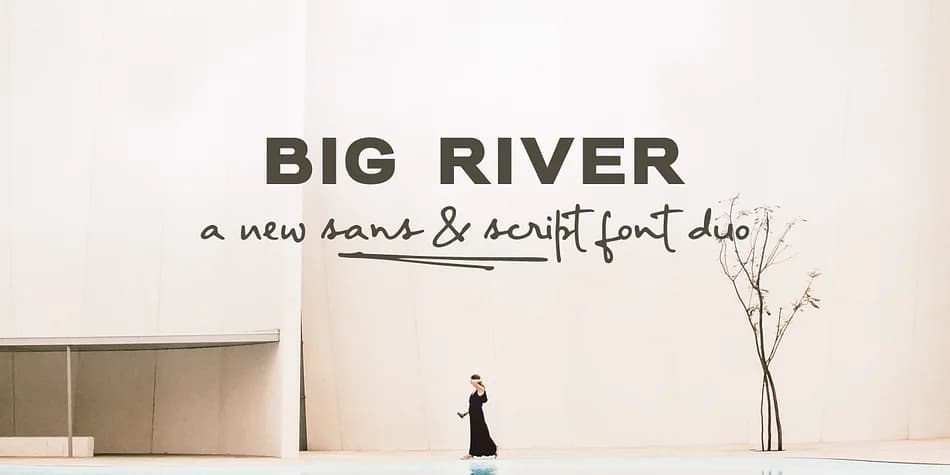
This font duo balances refinement with relaxed, natural character. Big River by Ana's Fonts pairs an elegant sans serif with a flowing handwritten script, creating two voices that work beautifully together.
The sans serif comes in three weights and includes both full capitals and small capitals, giving you subtle typographic control for different contexts. The handwritten version offers upright and slanted cuts, with decorative swashes available to add warmth and personality. You'll use this pairing for wedding invitation suites and engagement announcements, small-batch product labels and boutique packaging, social media graphics and illustrated quote graphics, and custom stationery projects. Both fonts include the complete character set you need: uppercase and lowercase letters, numerals, accents, punctuation marks, and extended symbols for any layout.
The bonus characters live in their own font file, accessible directly from your font menu, no special software needed. When you're ready to use it, pair the handwritten script with a clean sans serif for longer body text, letting Big River handle your display and headline work. It's a package worth adding to Creative Fabrica when you need flexible, cohesive typography across multiple formats.
Style & Use Cases
- Overall Style
- Iconographic
- Use Case
- Icons, Accents
- Ideal For
- ornaments, bullets, and decorative flourishes
- Pairs With
- any text font
How to Install Big River Font
Step-by-step instructions for every platform
- 1Download the Big River font file (.ttf or .otf).
- 2Locate the downloaded file in your Downloads folder.
- 3Right-click the font file.
- 4Select "Install" to install for the current user, or "Install for all users" to make it available system-wide.
- 5Big River is now available in Word, Photoshop, Illustrator, and all other apps.
More by Ana's Fonts
View all →
Browse fonts by theme
Curated collections →Saw a font in a picture? Identify any font from an image with our free Font Finder.
More Dingbats Fonts
Browse all →







What pairs well with Big River Font?
Big River Font is a versatile dingbats font that works for both headings and body text. Pair it with a contrasting sans-serif or serif font to add visual interest and a clear distinction between titles and body copy.



Big River Font
by Ana's Fonts
Reviewed by the FontBoxDL team · Updated August 2026