 Firefox
 1 / 3
1 / 3Loading font…
About Auto Motive Font
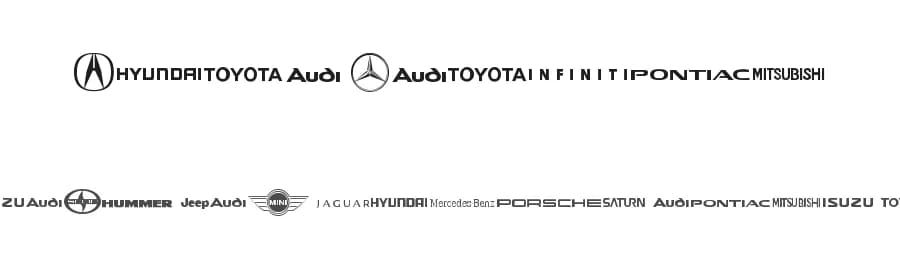
Auto Motive is a dingbats font designed by PunkWinter, offering a comprehensive collection of 653 symbolic glyphs with support for 292+ Latin-based languages. This substantial symbol set brings a distinctive visual toolkit to designers and crafters seeking graphical elements beyond traditional letterforms, making it a core resource for any project where icons, decorative marks, or symbolic communication must take center stage.
Logo design represents a natural fit for Auto Motive's capabilities, since symbolic marks often form the visual cornerstone of brand identity. Branding initiatives requiring consistent icon sets across touchpoints benefit significantly from the depth here, as do vinyl cutting and craft projects suited to cutting machines, web and app interface design where dingbat symbols function as navigation aids or status indicators, and print packaging design calling for strong visual differentiation. With 653 individual glyphs available in this single typeface, you can develop complete icon systems without compromising visual coherence or switching between multiple font files.
Pairing Auto Motive with a clean sans-serif typeface produces effective hierarchical designs that combine readable text and symbolic marks, such as infographics, app dashboards, product interfaces, or corporate collateral. The font is available as a free download from this page, with licence terms and permitted usage clearly detailed there.
Style & Use Cases
- Overall Style
- Iconographic, Dingbats
- Use Case
- Icons, Accents
- Ideal For
- ornaments, bullets, and decorative flourishes
- Pairs With
- any text font
Auto Motive Specifications
| Font Family | Auto Motive |
| Style | Regular |
| Full Name | Auto Motive |
| Version | 1.00 March 11, 2009, initial release |
| Weight | 400 (Regular) |
| Glyph Count | 653 glyphs |
| PostScript Name | AutoMotive |
| Format | TTF (TrueType) |
| File Size | 34 KB |
Languages Supported
Auto Motive supports 292 languages.
How to Install Auto Motive Font
Step-by-step instructions for every platform
- 1Download the Auto Motive font file (.ttf or .otf).
- 2Locate the downloaded file in your Downloads folder.
- 3Right-click the font file.
- 4Select "Install" to install for the current user, or "Install for all users" to make it available system-wide.
- 5Auto Motive is now available in Word, Photoshop, Illustrator, and all other apps.
More by PunkWinter
View all →
Browse fonts by theme
Curated collections →Saw a font in a picture? Identify any font from an image with our free Font Finder.
More Dingbats Fonts
Browse all →







What pairs well with Auto Motive Font?
Auto Motive Font is a versatile dingbats font that works for both headings and body text. Pair it with a contrasting sans-serif or serif font to add visual interest and a clear distinction between titles and body copy.



Premium Dingbats Fonts
★ PremiumWant something with more weights, glyphs, and commercial polish? These premium dingbats fonts are worth a look.


Auto Motive Font
by PunkWinter
Reviewed by the FontBoxDL team · Updated October 2026