 Firefox
 1 / 10
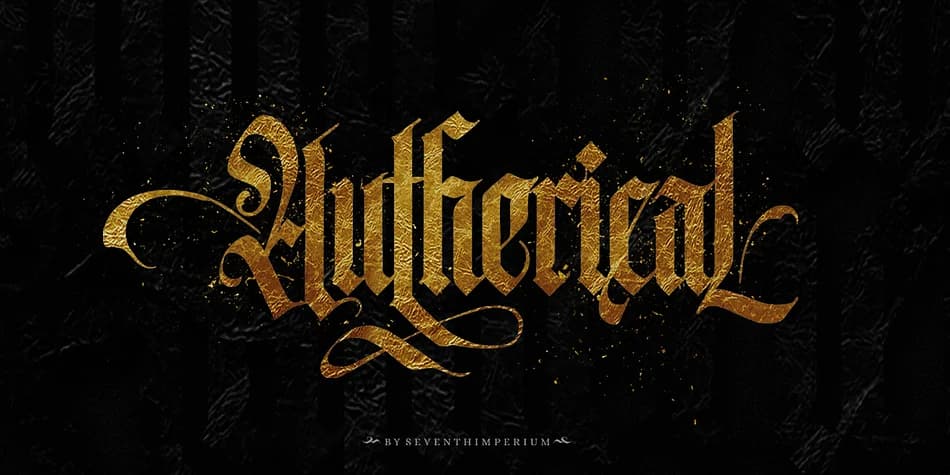
About Autherical Font
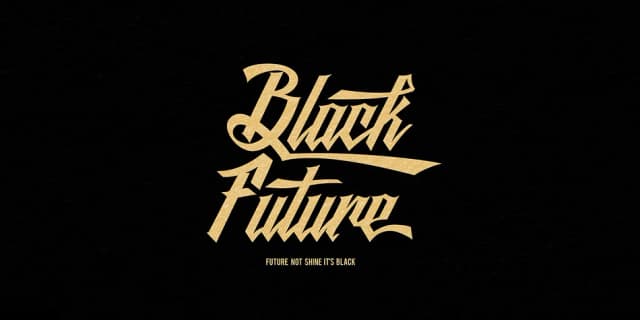
This typeface drips with historical gravitas and gothic intrigue. Autherical, designed by Seventh Imperium, channels the intricate lineage of fraktur calligraphy into a typeface that feels both authentically vintage and boldly contemporary. You'll find it working beautifully across craft brewery and distillery labels, vintage hardcover book covers, gothic wedding invitation suites, and metal band merchandise or album artwork. The typeface balances ornate detail with genuine readability, a trait many blackletters struggle to achieve with their elaborate letterforms.
The font arrives in both regular and slant cuts, giving you two distinct personalities to work with across different applications and contexts. Beyond the baseline typeface, you get over 400 glyphs, ornamental extras, and extensive multilingual support for truly global projects. The alternates unlock through PUA encoding, letting you swap in decorative variations and stylistic flourishes that deepen the medieval atmosphere without cluttering your character set. This wealth of options makes it simple to customize headers, drop caps, and branded elements while keeping visual coherence intact. Pair Autherical with a clean, modern sans-serif for body copy to create striking contrast between the ornate headline and restrained text. Get it on Creative Fabrica and start building designs with genuine character and historical authenticity.
Style & Use Cases
- Overall Style
- Ornate, Gothic
- Use Case
- Logos, Certificates
- Ideal For
- medieval themes, band merch, and tattoo lettering
- Pairs With
- a clean sans-serif for body text
How to Install Autherical Font
Step-by-step instructions for every platform
- 1Download the Autherical font file (.ttf or .otf).
- 2Locate the downloaded file in your Downloads folder.
- 3Right-click the font file.
- 4Select "Install" to install for the current user, or "Install for all users" to make it available system-wide.
- 5Autherical is now available in Word, Photoshop, Illustrator, and all other apps.
More by Seventh Imperium
View all →
Browse fonts by theme
Curated collections →Saw a font in a picture? Identify any font from an image with our free Font Finder.
More Blackletter Fonts
Browse all →







What pairs well with Autherical Font?
Autherical Font is a blackletter font that shines as a display or heading face. Pair it with a clean serif or sans-serif font for body text — the contrast creates a clear hierarchy while the two styles stay balanced and easy to read.



Autherical Font
Reviewed by the FontBoxDL team · Updated June 2026