 Firefox
 1 / 10
About Black Takora Font
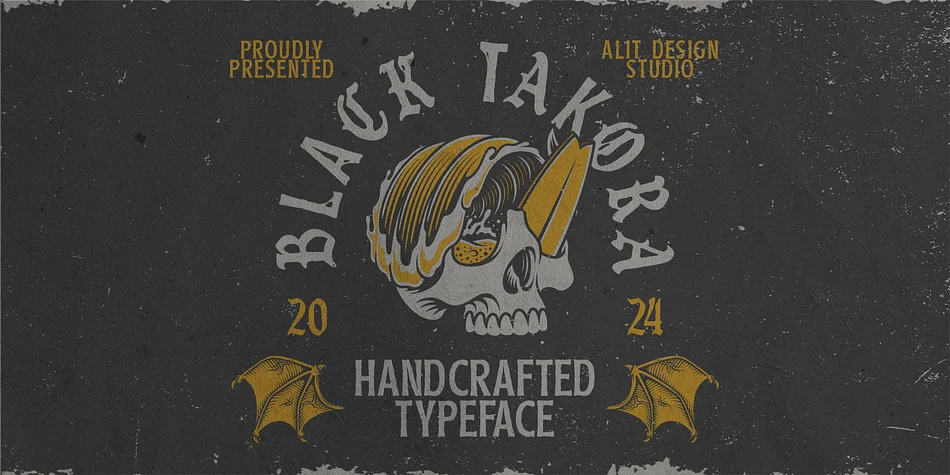
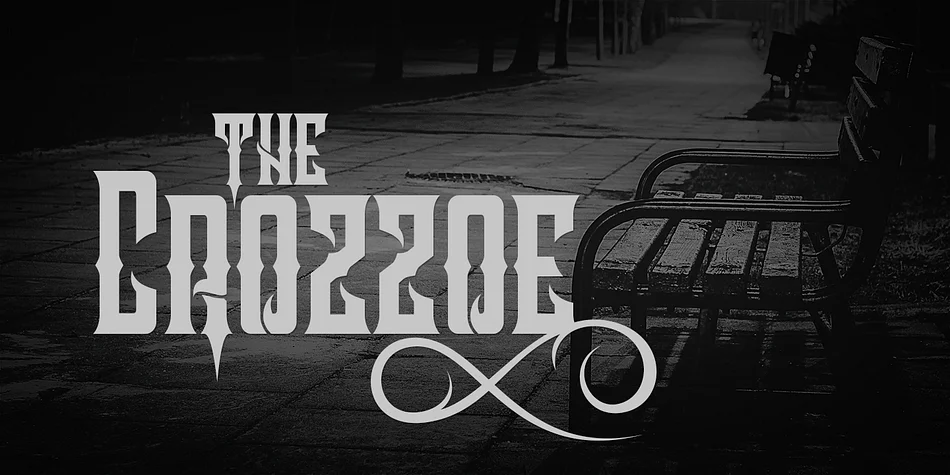
Black Takora, designed by Alit Design, is a blackletter typeface built on heavily textured letterforms that carry a distinctly hand-drawn quality. The individual strokes appear almost carved rather than printed, with a weathered, aged character that reads as genuinely historical rather than artificially distressed.
This is a substantial and flexible font containing 808 characters, including stylistic alternates and ligatures that allow for considerable text variation without switching typefaces. Multilingual support means you can work across language boundaries without limitation. The textured weight and rough finish make this typeface particularly effective in period-specific applications where authenticity matters visually. Custom band merchandise, vintage book cover design, antique label systems, and historical exhibition signage all benefit directly from this aesthetic. The rough edges reinforce rather than undermine these uses, making the texture feel intentional and authentic rather than accidental or poorly executed.
For designers tackling projects where genuine vintage sensibility or hand-lettered character strengthens the work, Black Takora offers real value. It works best for applications where historical authenticity matters to the brand narrative, whether that's heritage companies releasing period-appropriate materials, period publications, or any concept rooted in tradition and craftsmanship. Grab Black Takora on Creative Fabrica.
Style & Use Cases
- Overall Style
- Ornate, Gothic
- Use Case
- Logos, Certificates
- Ideal For
- medieval themes, band merch, and tattoo lettering
- Pairs With
- a clean sans-serif for body text
How to Install Black Takora Font
Step-by-step instructions for every platform
- 1Download the Black Takora font file (.ttf or .otf).
- 2Locate the downloaded file in your Downloads folder.
- 3Right-click the font file.
- 4Select "Install" to install for the current user, or "Install for all users" to make it available system-wide.
- 5Black Takora is now available in Word, Photoshop, Illustrator, and all other apps.
More by Alit Design
View all →

Black Takora Font is featured in
All collections →
Browse fonts by theme
Curated collections →Saw a font in a picture? Identify any font from an image with our free Font Finder.
More Blackletter Fonts
Browse all →
What pairs well with Black Takora Font?
Black Takora Font is a blackletter font that shines as a display or heading face. Pair it with a clean serif or sans-serif font for body text — the contrast creates a clear hierarchy while the two styles stay balanced and easy to read.




Black Takora Font
by Alit Design
Reviewed by the FontBoxDL team · Updated June 2026