 Firefox
 1 / 10
About Ark Font
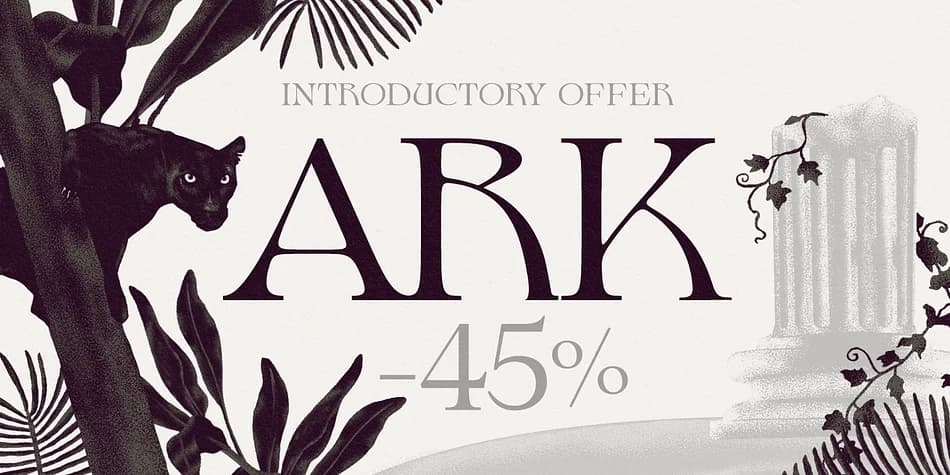
This typeface channels a hypnotic 70s energy while maintaining genuine refinement. Ark, designed by Fenotype, is a high-contrast serif that merges Art Nouveau sensibility with psychedelic flair, drawing directly from Heinz Keune's remarkable Edda from 1900.
The standard letterforms work confidently on their own, but the real power emerges when you dig into the swash and stylistic alternates buried in your character palette. Activate these flourishes and Ark transforms into something decidedly theatrical and richly dimensional. Picture this font gracing vintage concert poster typography, gallery exhibition invitation suites, high-end wine and spirits packaging, and bohemian wedding stationery that feels both timeless and vividly contemporary. There's a confident, almost retro glamour here that reads as completely intentional rather than dated, the kind of sophistication that works equally well as a display anchor for boutique brand identities or as a statement header for editorial features. The ornamental weight and genuine craft visible throughout the letterforms give it real substance; it's decorative without ever feeling frivolous or overworked.
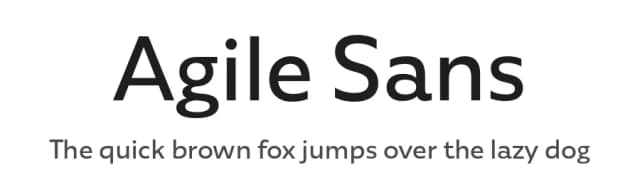
Pair Ark with a straightforward sans-serif for body text to create breathing room and preserve readability while letting its distinctive personality shine. It's available on Creative Fabrica for designers ready to explore its full potential.
Style & Use Cases
- Overall Style
- Bold, Distinctive
- Use Case
- Headlines, Posters
- Ideal For
- logos, packaging, and standout titles
- Pairs With
- a neutral sans-serif
How to Install Ark Font
Step-by-step instructions for every platform
- 1Download the Ark font file (.ttf or .otf).
- 2Locate the downloaded file in your Downloads folder.
- 3Right-click the font file.
- 4Select "Install" to install for the current user, or "Install for all users" to make it available system-wide.
- 5Ark is now available in Word, Photoshop, Illustrator, and all other apps.
More by Fenotype
View all →
Browse fonts by theme
Curated collections →Saw a font in a picture? Identify any font from an image with our free Font Finder.
More Decorative Fonts
Browse all →







What pairs well with Ark Font?
Ark Font is a decorative font that shines as a display or heading face. Pair it with a clean sans-serif or serif font for body text — the contrast creates a clear hierarchy while the two styles stay balanced and easy to read.



Ark Font
by Fenotype
Reviewed by the FontBoxDL team · Updated June 2026