Firefox
 1 / 3
1 / 3Loading font…
About Apicar Font
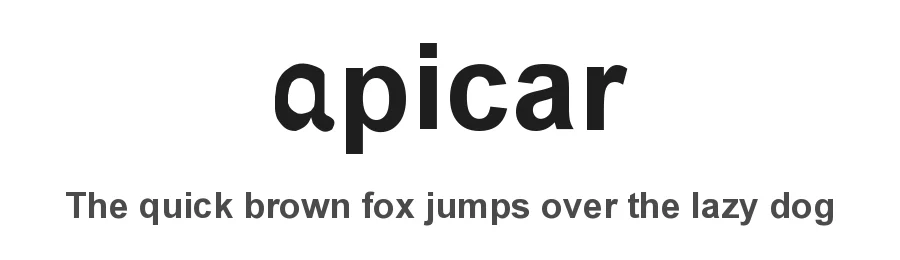
Apicar Gras is a dingbat font designed by Réal Saint-Jacques that brings strong visual impact and personality through 216 distinctive symbols and ornamental characters. The substantial bold weight makes these marks commanding on the page, supporting icon systems, decorative elements, and strategic visual hierarchy in designs that demand immediate attention.
Projects needing personality and strong graphic presence benefit from this font's extensive character collection. Web and app designers can use Apicar's symbols as bullet points, custom badges, or icon replacements without relying on separate image files. Crafters will find the glyphs ideal for scrapbooking layouts, decorative borders, and hand-lettered projects that call for distinctive visual elements. Label designers can build unique badge systems and packaging accents, while stationery creators can add ornamental touches to certificates, invitations, and thank-you cards. With language support for 214+ Latin-based scripts, the font accommodates diverse international projects and supports design teams working across multiple regions and cultural contexts worldwide.
Available as a free download from this page, with licence terms specified there. Consider pairing Apicar Gras with a clean sans-serif typeface to create visual balance, letting the bold symbols command focus without overwhelming the overall layout.
Style & Use Cases
- Overall Style
- Bold, Iconographic, Dingbats
- Use Case
- Icons, Accents
- Ideal For
- ornaments, bullets, and decorative flourishes
- Pairs With
- any text font
Apicar Specifications
| Font Family | Apicar (style Arial gras) |
| Style | Gras |
| Full Name | Apicar (stylr Arial gras) |
| Weight | 700 (Bold) |
| Glyph Count | 216 glyphs |
| Format | TTF (TrueType) |
| File Size | 53.2 KB |
Languages Supported
Apicar supports 214 languages.
How to Install Apicar Font
Step-by-step instructions for every platform
- 1Download the Apicar font file (.ttf or .otf).
- 2Locate the downloaded file in your Downloads folder.
- 3Right-click the font file.
- 4Select "Install" to install for the current user, or "Install for all users" to make it available system-wide.
- 5Apicar is now available in Word, Photoshop, Illustrator, and all other apps.
Browse fonts by theme
Curated collections →Saw a font in a picture? Identify any font from an image with our free Font Finder.
More Dingbats Fonts
Browse all →







What pairs well with Apicar Font?
Apicar Font is a versatile dingbats font that works for both headings and body text. Pair it with a contrasting sans-serif or serif font to add visual interest and a clear distinction between titles and body copy.




Premium Dingbats Fonts
★ PremiumWant something with more weights, glyphs, and commercial polish? These premium dingbats fonts are worth a look.