 Firefox
 1 / 10
About Wingman Font
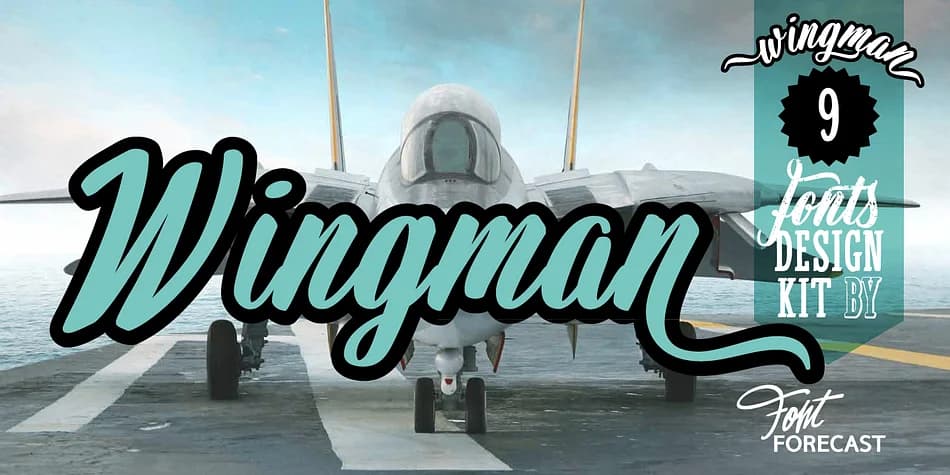
Wingman has the kind of confident personality that grabs attention without trying too hard. Created by Fontforecast, this brush script family packs genuine versatility into nine interconnected styles that actually work together as intended.
The real power is in Wingman Brush itself: six styles ranging from delicate to bold, all loaded with OpenType smarts. You get 815 glyphs per style (except the extra set), contextual alternates that swap characters in and out as you type, and stylistic sets stuffed with swashes and flourishes. Want layered depth? The regular and bold styles have shadow versions that stack perfectly. The vintage style lends itself to rustic branding, while Brush Extra delivers 322 standalone design elements if you need pure decoration. Use it for luxury fashion labels, hand-drawn wedding invitation suites, artisanal cafe menus, or custom logo treatments, each calling for a different Wingman Brush style.
Wingman Serif comes in solid and outline versions and works beautifully alongside the brush styles or holds its own solo. The combination of brush and serif creates a layered sophistication that lifts editorial spreads and packaging design. For maximum impact, pair Wingman with a neutral geometric sans-serif for body copy, letting the script do the talking where it matters most. Find Wingman on Creative Fabrica and unlock a font family that actually earns its place in your library.
Style & Use Cases
- Overall Style
- Elegant, Flowing
- Use Case
- Invitations, Branding
- Ideal For
- wedding stationery, greeting cards, and signatures
- Pairs With
- a simple uppercase sans
How to Install Wingman Font
Step-by-step instructions for every platform
- 1Download the Wingman font file (.ttf or .otf).
- 2Locate the downloaded file in your Downloads folder.
- 3Right-click the font file.
- 4Select "Install" to install for the current user, or "Install for all users" to make it available system-wide.
- 5Wingman is now available in Word, Photoshop, Illustrator, and all other apps.
More by Fontforecast
View all →
Browse fonts by theme
Curated collections →Saw a font in a picture? Identify any font from an image with our free Font Finder.
More Script Handwritten Fonts
Browse all →







What pairs well with Wingman Font?
Wingman Font is a script font that shines as a display or heading face. Pair it with a clean sans-serif or serif font for body text — the contrast creates a clear hierarchy while the two styles stay balanced and easy to read.



Wingman Font
by Fontforecast
Reviewed by the FontBoxDL team · Updated July 2026