 Firefox
 1 / 6
1 / 6About Widges Font
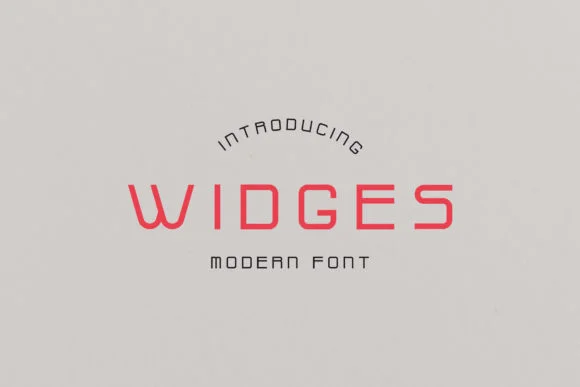
Widges by padgoods is a contemporary slab serif with clean lines and understated elegance. The font brings a measured, modern sensibility to projects where you need character without excess decoration. Its geometric structure and restrained weight distribution make it work at any size, from headlines all the way down to body text. The overall feel is refined but approachable, striking a balance that translates across very different applications.
The font excels at editorial work, from magazine spreads and coffee table book covers to jacket designs for contemporary publishers. Logo design benefits significantly from its balanced proportions, especially for brands in hospitality, beauty, and lifestyle sectors that want to feel current without chasing trends. Product packaging and branding collateral also gain from Widges' straightforward character. Signage work, restaurant menus, and upscale retail displays all read beautifully in this typeface because it communicates confidence without pretension.
What makes Widges genuinely useful is its restraint. Many slab serifs feel retro or novelty-driven, but this one reads as authentically contemporary, which means it won't feel dated next year. The letterforms have enough personality to be memorable without demanding constant attention. Get Widges on Creative Fabrica and you'll find it becomes a regular reach for any project that needs a thoughtful, modern serif.
Style & Use Cases
- Overall Style
- Sturdy, Confident
- Use Case
- Headlines, Merch
- Ideal For
- vintage posters, logos, and product packaging
- Pairs With
- a light sans-serif
How to Install Widges Font
Step-by-step instructions for every platform
- 1Download the Widges font file (.ttf or .otf).
- 2Locate the downloaded file in your Downloads folder.
- 3Right-click the font file.
- 4Select "Install" to install for the current user, or "Install for all users" to make it available system-wide.
- 5Widges is now available in Word, Photoshop, Illustrator, and all other apps.
Browse fonts by theme
Curated collections →Saw a font in a picture? Identify any font from an image with our free Font Finder.
More Slab Serif Fonts
Browse all →







What pairs well with Widges Font?
Widges Font is a slab serif font that shines as a display or heading face. Pair it with a clean sans-serif or serif font for body text — the contrast creates a clear hierarchy while the two styles stay balanced and easy to read.




Widges Font
by padgoods
Reviewed by the FontBoxDL team · Updated September 2026