 Firefox
 1 / 5
1 / 5Loading font…
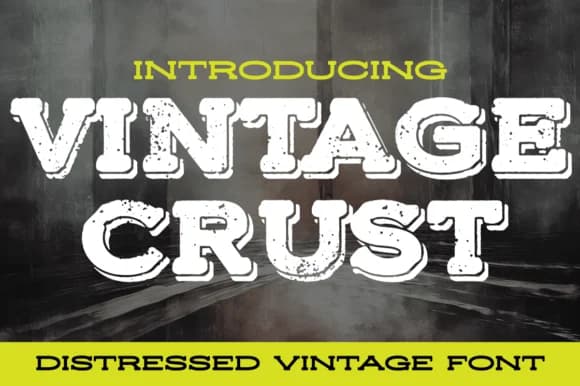
About Vintage Crust Font
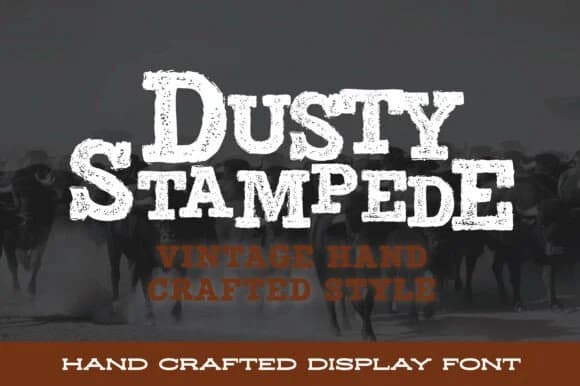
The letterforms show a weathered, stamped quality that speaks to age and real use. Vintage Crust, designed by stompstock, is a slab serif with rough edges and irregular character shapes that deliberately avoid the uniform polish you find in most contemporary fonts. This isn't nostalgia deployed as decoration; it's the gritty, tactile texture of something salvaged and repurposed for practical work. You see this texture on old toolboxes, faded signs, and stamps worn smooth by decades of pressing.
That distressed character makes it well-suited for vintage bakery branding, craft beer labels, retro diner menus, and DIY event posters where authenticity matters more than slickness. The heavy serifs hold their ground at any size, while the weathered details give even simple headlines real visual presence. A font like this operates on the basic assumption that your audience trusts honest work over designer perfection. It's built for brands that mean what they say.
Restaurant packaging, speakeasy invitations, vintage goods storefronts, and artisan market signage all benefit from this approach. The slab construction maintains character across different applications and sizes, whether you need it large on a storefront window or small on a label. Get Vintage Crust on Creative Fabrica and add genuine character to your collection.
Style & Use Cases
- Overall Style
- Sturdy, Confident, Vintage
- Use Case
- Headlines, Merch
- Ideal For
- vintage posters, logos, and product packaging
- Pairs With
- a light sans-serif
How to Install Vintage Crust Font
Step-by-step instructions for every platform
- 1Download the Vintage Crust font file (.ttf or .otf).
- 2Locate the downloaded file in your Downloads folder.
- 3Right-click the font file.
- 4Select "Install" to install for the current user, or "Install for all users" to make it available system-wide.
- 5Vintage Crust is now available in Word, Photoshop, Illustrator, and all other apps.
More by stompstock
View all →
Browse fonts by theme
Curated collections →Saw a font in a picture? Identify any font from an image with our free Font Finder.
More Slab Serif Fonts
Browse all →







What pairs well with Vintage Crust Font?
Vintage Crust Font is a slab serif font that shines as a display or heading face. Pair it with a clean sans-serif or serif font for body text — the contrast creates a clear hierarchy while the two styles stay balanced and easy to read.



Vintage Crust Font
by stompstock
Reviewed by the FontBoxDL team · Updated October 2026