
 1 / 5
1 / 5About Valentine Divider Font
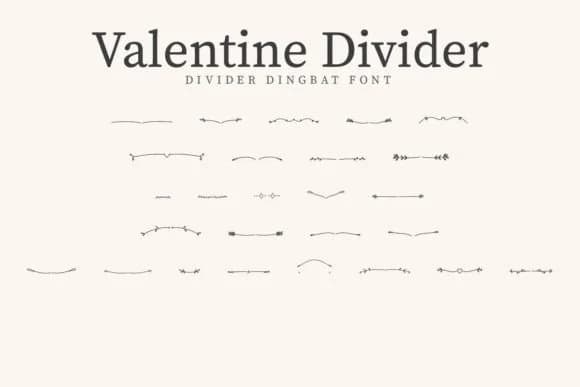
Valentine Divider by CraftedType Studio is a dingbat collection designed for decorative flourishes and ornamental breaks. It shines when you're designing wedding invitation suites with custom divider lines, creating decorative sticker sheets, or layering icon elements into small brand marks. The ornaments work particularly well as spacing elements between sections on printed materials, making them useful for anything from DIY craft labels and boutique skincare packaging to custom t-shirt graphics where you want a polished decorative accent without a full pictorial element. Since each glyph renders cleanly at any scale, you maintain crisp detail whether you're working at small sizes or scaling up for large format prints.
Dingbat fonts like this give you the freedom to layer ornamental details without importing graphics into your project. You get full compatibility across Adobe Suite, Procreate, Figma, or whichever design tool fits your workflow. If you're prototyping quick sticker designs, building visual hierarchy into a folded card layout, or adding ornamental detail to brand lockups, a focused ornament collection means you spend less time hunting through generic clip-art sites. The characters integrate naturally with text-based design tools, which means you're working faster when refining concepts or adjusting layouts on the fly. Grab Valentine Divider on Creative Fabrica and see how it works in your next project.
Style & Use Cases
- Overall Style
- Iconographic, Sticker Fonts
- Use Case
- Icons, Accents
- Ideal For
- ornaments, bullets, and decorative flourishes
- Pairs With
- any text font
How to Install Valentine Divider Font
Step-by-step instructions for every platform
- 1Download the Valentine Divider font file (.ttf or .otf).
- 2Locate the downloaded file in your Downloads folder.
- 3Right-click the font file.
- 4Select "Install" to install for the current user, or "Install for all users" to make it available system-wide.
- 5Valentine Divider is now available in Word, Photoshop, Illustrator, and all other apps.
More by CraftedType Studio
View all →



Browse fonts by theme
Curated collections →Saw a font in a picture? Identify any font from an image with our free Font Finder.
More Dingbats Fonts
Browse all →







What pairs well with Valentine Divider Font?
Valentine Divider Font is a versatile dingbats font that works for both headings and body text. Pair it with a contrasting sans-serif or serif font to add visual interest and a clear distinction between titles and body copy.



Valentine Divider Font
Reviewed by the FontBoxDL team · Updated July 2026