 Firefox
 1 / 7
1 / 7About The Piper Font
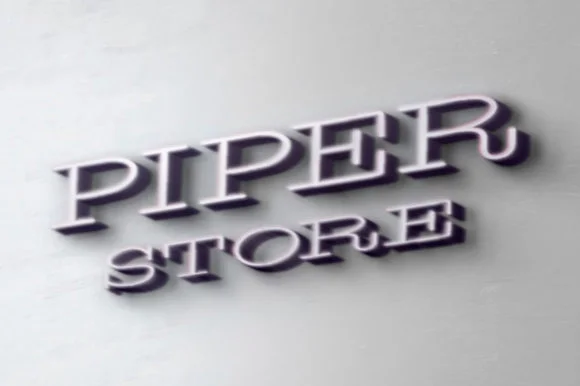
The Piper by NuchType is a thin slab serif with lettered, vintage personality that brings understated retro energy to contemporary layouts. Its delicate stroke weight and period-perfect sensibility make it particularly effective for vintage band merchandise and album artwork, boutique fashion lookbooks, artisan coffee packaging, and editorial magazine spreads. The font threads the needle between refined sophistication and handcrafted character, so it works equally well as a commanding display headline or as secondary text used in moderation.
What distinguishes The Piper is how its thin proportions preserve readable, distinct forms despite decorative letterforms throughout the character set, granting genuine versatility across print and digital work. Album and EP cover design benefits from its visual gravity without demanding attention in an aggressive way. Indie cosmetics and small-batch food brands gain distinct personality through packaging where this font is featured prominently. Social media graphics and story graphics gain extra dimension from those vintage-inflected letter details. The font includes a comprehensive character set supporting multiple languages, removing alphabet constraints for international projects. By avoiding trend-chasing in its design philosophy, The Piper maintains visual relevance across time, which matters when creating work intended to feel timeless rather than dated or fleeting.
Find The Piper on Creative Fabrica and add this retro-forward sensibility to your next project.
Style & Use Cases
- Overall Style
- Sturdy, Confident, Modern
- Use Case
- Headlines, Merch
- Ideal For
- vintage posters, logos, and product packaging
- Pairs With
- a light sans-serif
How to Install The Piper Font
Step-by-step instructions for every platform
- 1Download the The Piper font file (.ttf or .otf).
- 2Locate the downloaded file in your Downloads folder.
- 3Right-click the font file.
- 4Select "Install" to install for the current user, or "Install for all users" to make it available system-wide.
- 5The Piper is now available in Word, Photoshop, Illustrator, and all other apps.
More by NuchType
View all →
Browse fonts by theme
Curated collections →Saw a font in a picture? Identify any font from an image with our free Font Finder.
More Slab Serif Fonts
Browse all →







What pairs well with The Piper Font?
The Piper Font is a slab serif font that shines as a display or heading face. Pair it with a clean sans-serif or serif font for body text — the contrast creates a clear hierarchy while the two styles stay balanced and easy to read.




The Piper Font
by NuchType
Reviewed by the FontBoxDL team · Updated September 2026