
 1 / 8
1 / 8About Tattoo Designs Font
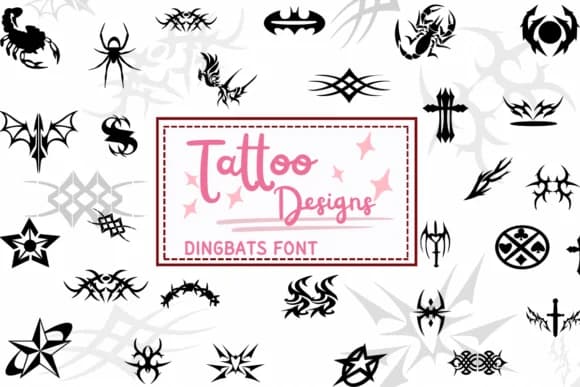
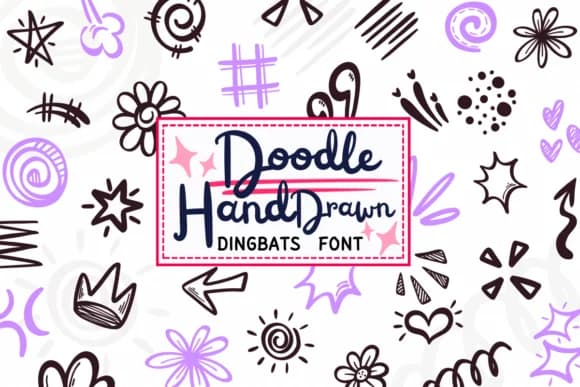
Tattoo Designs by PraewDesigns combines ornamental line work and symbolic imagery that taps into vintage tattooing traditions alongside contemporary design aesthetics. This dingbat collection captures both the meticulous detail of traditional tattoo outlines and the raw experimentation of modern ink culture, giving it relevance across far more contexts than fine art alone.
The symbol set translates beautifully to tattoo sleeve mood boards and reference sheets for artists, custom sticker collections for independent lifestyle brands, merchandise tags and hang labels for boutique apparel, and decorative elements woven into alternative music event posters. Each glyph holds its own at multiple scales without losing clarity, so the symbols remain crisp whether used as small vinyl decals or enlarged for wall installations and public signage. The line weight consistency makes these work equally well when printed or digitally composited.
Designers tackling subculture branding, lifestyle merchandise, or celebration designs with attitude (bachelorette invitations with a rebellious streak, anniversary gifts for couples who appreciate darker aesthetics, DIY craft projects for the alt-leaning crowd) will recognize this font as something that fills the gap most generic symbol collections leave empty. These pieces have real personality. You can find the full character set on Creative Fabrica, ready to integrate into your design library.
Style & Use Cases
- Overall Style
- Iconographic, Tattoo Designs
- Use Case
- Icons, Accents
- Ideal For
- ornaments, bullets, and decorative flourishes
- Pairs With
- any text font
How to Install Tattoo Designs Font
Step-by-step instructions for every platform
- 1Download the Tattoo Designs font file (.ttf or .otf).
- 2Locate the downloaded file in your Downloads folder.
- 3Right-click the font file.
- 4Select "Install" to install for the current user, or "Install for all users" to make it available system-wide.
- 5Tattoo Designs is now available in Word, Photoshop, Illustrator, and all other apps.
More by PraewDesigns
View all →
Browse fonts by theme
Curated collections →Saw a font in a picture? Identify any font from an image with our free Font Finder.
More Dingbats Fonts
Browse all →







What pairs well with Tattoo Designs Font?
Tattoo Designs Font is a versatile dingbats font that works for both headings and body text. Pair it with a contrasting sans-serif or serif font to add visual interest and a clear distinction between titles and body copy.



Tattoo Designs Font
by PraewDesigns
Reviewed by the FontBoxDL team · Updated June 2026