 Firefox
 1 / 5
1 / 5About Story Ghosting Font
Story Ghosting is a whimsical script font with a relaxed theme, featuring a lovely style. No matter the topic, this font will be an incredibly asset to your fonts’ library, as it has the potential to elevate any creation.
Style & Use Cases
- Overall Style
- Classic, Refined, Romantic Font
- Use Case
- Editorial, Print
- Ideal For
- book covers, long-form text, and traditional branding
- Pairs With
- a clean sans-serif for captions
Romantic FontLovely FontWedding FontLetteringBeautifulModern FontHandrawnWinterCalligraphyDisplayFeminimeBrand DesignScript FontSmoothInvitation
How to Install Story Ghosting Font Font
Step-by-step instructions for every platform
- 1Download the Story Ghosting Font font file (.ttf or .otf).
- 2Locate the downloaded file in your Downloads folder.
- 3Right-click the font file.
- 4Select "Install" to install for the current user, or "Install for all users" to make it available system-wide.
- 5Story Ghosting Font is now available in Word, Photoshop, Illustrator, and all other apps.
More by handwrittenwanda
View all →


Browse fonts by theme
Curated collections →Saw a font in a picture? Identify any font from an image with our free Font Finder.
More Serif Fonts
Browse all →


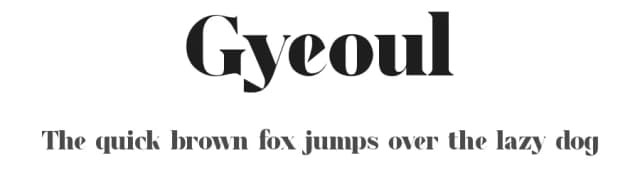
What pairs well with Story Ghosting Font?
Story Ghosting Font is a versatile serif font that works for both headings and body text. Pair it with a contrasting sans-serif or slab serif font to add visual interest and a clear distinction between titles and body copy.



Story Ghosting Font
Reviewed by the FontBoxDL team · Updated June 2026
Free
Compatibility
Windows
Mac / Apple
Linux
Cricut
Silhouette
Other cutting machines