
 1 / 3
1 / 3About Sleek Font
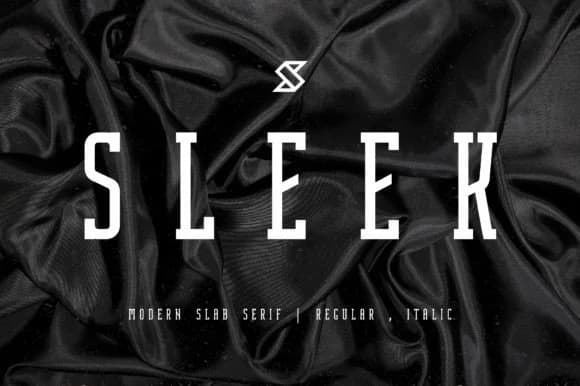
Sleek is a condensed slab serif with tall, geometric letterforms that command attention across large expanses. Created by Minimalistartstudio, this font strips away unnecessary ornament to deliver a modern, architecturally driven aesthetic. The compressed proportions give each character natural weight and presence, making it especially effective when scaled large for titles and editorial layouts where boldness counts.
The font excels in luxury applications where restraint and clarity matter most: high-end product packaging, perfume bottles and cosmetics branding, upscale magazine covers, boutique retail signage, and refined social media campaigns. Its minimalist construction pairs naturally with generous negative space and clean backgrounds that let the type breathe and speak clearly. These letterforms perform equally well with bold color contrast or subtle harmonies that put the focus on the typography itself. Designers appreciate how the tall, geometric proportions handle both print and digital contexts without losing that deliberate, intentional quality that distinguishes refined luxury work from generic design solutions.
This font suits designers working on refined commercial projects and luxury brand identities that value clarity and proportion over unnecessary decoration. Grab it on Creative Fabrica and start building distinctive packaging systems, compelling editorial layouts, and brand identities that read as intentional and contemporary rather than trendy.
Style & Use Cases
- Overall Style
- Sturdy, Confident, Modern Font
- Use Case
- Headlines, Merch
- Ideal For
- vintage posters, logos, and product packaging
- Pairs With
- a light sans-serif
How to Install Sleek Font
Step-by-step instructions for every platform
- 1Download the Sleek font file (.ttf or .otf).
- 2Locate the downloaded file in your Downloads folder.
- 3Right-click the font file.
- 4Select "Install" to install for the current user, or "Install for all users" to make it available system-wide.
- 5Sleek is now available in Word, Photoshop, Illustrator, and all other apps.
More by Minimalistartstudio
View all →



Browse fonts by theme
Curated collections →Saw a font in a picture? Identify any font from an image with our free Font Finder.
More Slab Serif Fonts
Browse all →







What pairs well with Sleek Font?
Sleek Font is a slab serif font that shines as a display or heading face. Pair it with a clean sans-serif or serif font for body text — the contrast creates a clear hierarchy while the two styles stay balanced and easy to read.



Sleek Font
Reviewed by the FontBoxDL team · Updated September 2026