
 1 / 8
1 / 8About Sewing Equipment Font
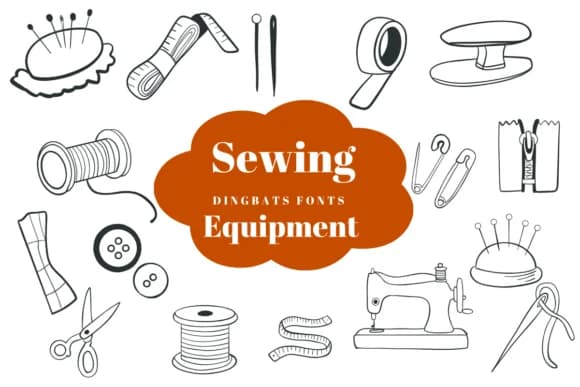
Instead of letters, this typeface swaps in a hand-drawn collection of sewing room essentials: needles, thimbles, scissors, thread spools, and vintage sewing machines that capture the texture and character of textile work. Sewing Equipment by Suphitchaya brings genuine craft symbolism into your typography, creating an immediate visual connection to the world of making, mending, and creation.
The consistent line weight across all the symbols gives it remarkable versatility across scales. You'll see it translate beautifully from small website icons to large-format fabric prints. This makes it ideal for sewing pattern instruction sheets, embroidered patch designs, Etsy listings for handmade garments, vintage-inspired greeting cards that honor the maker's craft, and DIY garment tags on finished pieces. Craft subscription boxes and boutique textile packaging also benefit from the imagery, since it speaks directly to audiences who seek handmade goods. The nostalgic symbols work especially well scattered across layouts where they add warmth without overwhelming the central message.
Any designer building projects around sewing, textile arts, or vintage craft aesthetics will find this dingbat collection indispensable. Grab Sewing Equipment on Creative Fabrica and bring these symbols into your next project.
Style & Use Cases
- Overall Style
- Iconographic, Fonts
- Use Case
- Icons, Accents
- Ideal For
- ornaments, bullets, and decorative flourishes
- Pairs With
- any text font
How to Install Sewing Equipment Font
Step-by-step instructions for every platform
- 1Download the Sewing Equipment font file (.ttf or .otf).
- 2Locate the downloaded file in your Downloads folder.
- 3Right-click the font file.
- 4Select "Install" to install for the current user, or "Install for all users" to make it available system-wide.
- 5Sewing Equipment is now available in Word, Photoshop, Illustrator, and all other apps.
More by Suphitchaya
View all →
Browse fonts by theme
Curated collections →Saw a font in a picture? Identify any font from an image with our free Font Finder.
More Dingbats Fonts
Browse all →







What pairs well with Sewing Equipment Font?
Sewing Equipment Font is a versatile dingbats font that works for both headings and body text. Pair it with a contrasting sans-serif or serif font to add visual interest and a clear distinction between titles and body copy.



Sewing Equipment Font
by Suphitchaya
Reviewed by the FontBoxDL team · Updated July 2026