 Firefox
 1 / 5
1 / 5About Portulaca Font
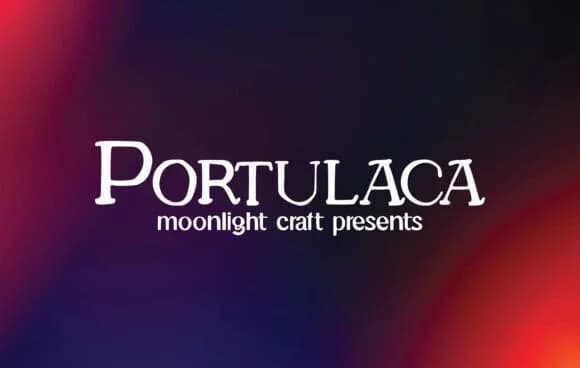
Portulaca by moonlight craft is a bold slab-serif that fuses vintage warmth with contemporary practicality. It reads with authority in headlines while remaining genuinely readable at body sizes, a balance most display faces never manage. That duality makes it functional for both display work and running copy, which separates it from faces that command attention at large scale but lose readability when sized down.
The typeface earns its place in projects that demand personality without sacrificing professionalism. Reach for it when designing luxury magazine mastheads and editorial spreads, vintage apothecary and cosmetics labels, retro concert posters and event invitations, and minimalist logo lockups for brand identity systems. It performs equally well for indie bookstore window signage, boutique skincare and luxury goods packaging, craft brewery labels and bottle design, and tech company website headers and interface typography. Wherever you need a typeface that feels established and intentional without becoming stuffy or dated, this font delivers. The bold weight and distinctive stroke structure mean straightforward layouts immediately gain visual presence and that tangible sense of considered craft rather than reaching for templated defaults.
Get Portulaca from Creative Fabrica and watch how naturally it fits your designs.
Style & Use Cases
- Overall Style
- Sturdy, Confident, Portulaca
- Use Case
- Headlines, Merch
- Ideal For
- vintage posters, logos, and product packaging
- Pairs With
- a light sans-serif
How to Install Portulaca Font
Step-by-step instructions for every platform
- 1Download the Portulaca font file (.ttf or .otf).
- 2Locate the downloaded file in your Downloads folder.
- 3Right-click the font file.
- 4Select "Install" to install for the current user, or "Install for all users" to make it available system-wide.
- 5Portulaca is now available in Word, Photoshop, Illustrator, and all other apps.
More by moonlight craft
View all →

Browse fonts by theme
Curated collections →Saw a font in a picture? Identify any font from an image with our free Font Finder.
More Slab Serif Fonts
Browse all →







What pairs well with Portulaca Font?
Portulaca Font is a slab serif font that shines as a display or heading face. Pair it with a clean sans-serif or serif font for body text — the contrast creates a clear hierarchy while the two styles stay balanced and easy to read.



Portulaca Font
Reviewed by the FontBoxDL team · Updated August 2026