 Firefox
 1 / 5
1 / 5About Paulina Font
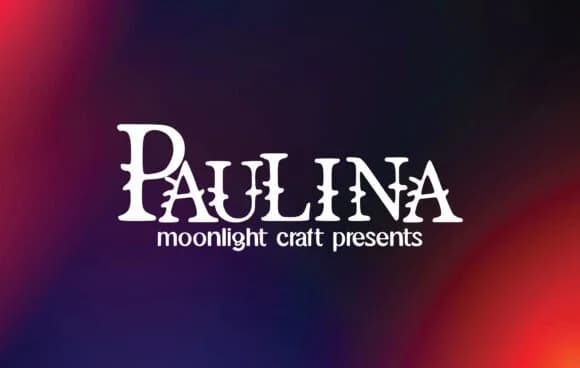
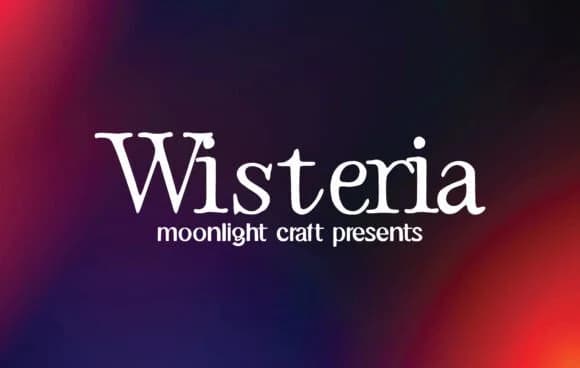
Paulina, by moonlight craft, proves that geometric slab-serifs can carry genuine warmth. The letterforms are solid and grounded, designed to hold space whether you're setting headlines or anchoring body text across a layout. What distinguishes this typeface is how it resists the cold efficiency that often defines utilitarian fonts, instead offering character that reads as both modern and approachable.
Because Paulina's structure is fundamentally sturdy, it thrives in projects where type needs presence and confidence. Designers reach for it when building wedding invitation suites that prioritize clarity over decorative fuss, luxury product labels for high-end candle and skincare lines seeking visual authority, podcast cover artwork where legibility is non-negotiable, and vintage brand redesigns that want era-conscious warmth without resorting to pastiche. Beyond these specific applications, the same geometric strength carries into social media graphics, event branding, and anywhere else where clean typography can do meaningful work. Its character shines equally whether employed for standalone headlines or as anchoring text within a larger design system.
This font works best for projects that value restraint, for designers who understand that stripped-back type often carries more impact than ornamental noise. You'll find Paulina available on Creative Fabrica, ready for your next design that demands clarity and character in equal measure.
Style & Use Cases
- Overall Style
- Sturdy, Confident, Paulina
- Use Case
- Headlines, Merch
- Ideal For
- vintage posters, logos, and product packaging
- Pairs With
- a light sans-serif
How to Install Paulina Font
Step-by-step instructions for every platform
- 1Download the Paulina font file (.ttf or .otf).
- 2Locate the downloaded file in your Downloads folder.
- 3Right-click the font file.
- 4Select "Install" to install for the current user, or "Install for all users" to make it available system-wide.
- 5Paulina is now available in Word, Photoshop, Illustrator, and all other apps.
More by moonlight craft
View all →
Browse fonts by theme
Curated collections →Saw a font in a picture? Identify any font from an image with our free Font Finder.
More Slab Serif Fonts
Browse all →







What pairs well with Paulina Font?
Paulina Font is a slab serif font that shines as a display or heading face. Pair it with a clean sans-serif or serif font for body text — the contrast creates a clear hierarchy while the two styles stay balanced and easy to read.



Paulina Font
Reviewed by the FontBoxDL team · Updated August 2026