 Firefox
 1 / 3
1 / 3Loading font…
About Oranienbaum Font
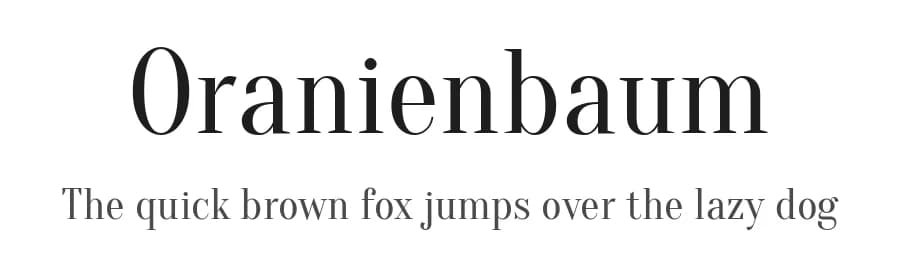
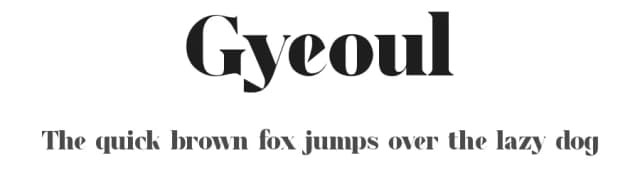
Oranienbaum is a modern high contrast Antiqua with well-defined, recognizable features. Based on the architecture of classic Antiqua fonts, such as Bodoni, Oranienbaum is typical of the typefaces from the first quarter of the 20th century: pronounced serifs, contrasting geometry, and an interplay of right angles and flowing lines. The font is well suited for both headlines and body text.
It was designed through a collaboration of Oleg Pospelov as the main type designer, with Jovanny Lemonad as art director, technical engineer and publisher.
This collection of libre fonts is created by designers who have drawn these fonts and then allowed everyone to use, share, change and improve the fonts, free of charge. If you like the fonts that designers create within this project, then you can take part even if you are not a designer with your money, in the spirit of charity «ON your heart». All the money is will transferred to the treatment of children with cancer.
To do this send a payment to the
Yandex Money: 41001412092310
Paypal account:
[email protected]
Under «Payment» enter the word «Donate».
Style & Use Cases
- Overall Style
- Classic, Refined, Basic
- Use Case
- Editorial, Print
- Ideal For
- book covers, long-form text, and traditional branding
- Pairs With
- a clean sans-serif for captions
Similar Fonts
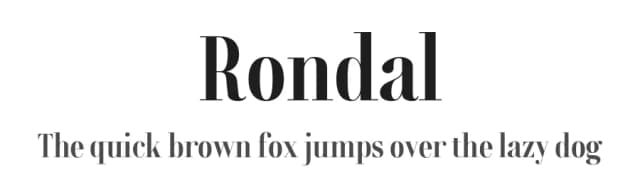
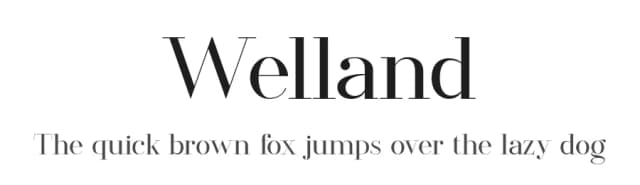
Fonts that look visually alike — matched by our Font Finder model.




Oranienbaum Specifications
| Font Family | Oranienbaum |
| Style | Regular |
| Full Name | Oranienbaum |
| Version | 1.000 |
| Weight | 400 (Regular) |
| Glyph Count | 419 glyphs |
| PostScript Name | Oranienbaum |
| Designer | Oleg Pospelov and Jovanny Lemonad |
| Format | TTF (TrueType) |
| File Size | 151.8 KB |
Languages Supported
Oranienbaum supports 265 languages.
How to Install Oranienbaum Font
Step-by-step instructions for every platform
- 1Download the Oranienbaum font file (.ttf or .otf).
- 2Locate the downloaded file in your Downloads folder.
- 3Right-click the font file.
- 4Select "Install" to install for the current user, or "Install for all users" to make it available system-wide.
- 5Oranienbaum is now available in Word, Photoshop, Illustrator, and all other apps.
More by Jovanny Lemonad
View all →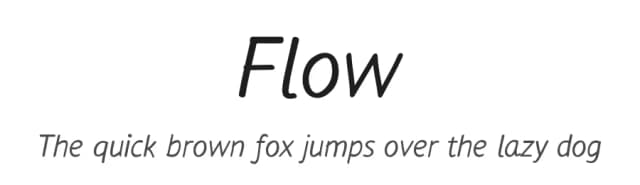


Browse fonts by theme
Curated collections →Saw a font in a picture? Identify any font from an image with our free Font Finder.
More Serif Fonts
Browse all →



What pairs well with Oranienbaum Font?
Oranienbaum Font is a versatile serif font that works for both headings and body text. Pair it with a contrasting sans-serif or slab serif font to add visual interest and a clear distinction between titles and body copy.



Premium Serif Fonts
★ PremiumWant something with more weights, glyphs, and commercial polish? These premium serif fonts are worth a look.


