 Firefox
 1 / 3
1 / 3Loading font…
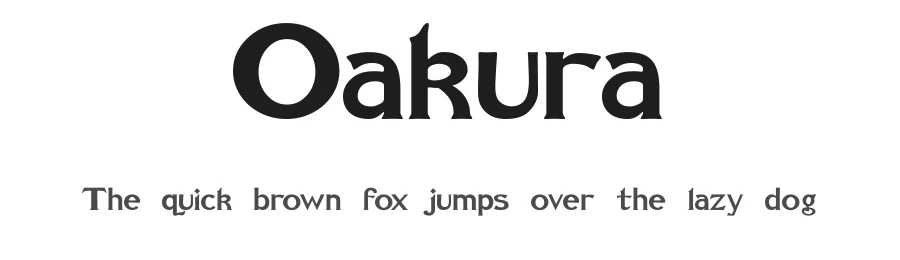
About Oakura Font
Oakura is a bold serif font built for commanding headlines and prominent display work. With support for 105+ Latin-based languages and 80 carefully crafted glyphs, it brings classical serif weight and character to design projects wherever your audience lives. The typeface combines traditional serif proportions with modern boldness.
This typeface truly shines in book cover design, where its bold presence commands shelf visibility and reader attention immediately. Magazine spreads, luxury brand identity systems, and premium product packaging all benefit from its confident, refined aesthetic. The substantial weight makes it an excellent choice for heading hierarchies in corporate reports and annual publications, poster design that needs to stop viewers in their tracks, and gallery signage where elegance carries real authority. Fine dining menus and restaurant branding showcase its sophistication, while formal event invitations and stationery suites draw on its traditional yet distinctive visual voice.
The broad language coverage means you can roll out campaigns and publications across multiple markets without hunting for substitutes. Oakura is free for commercial use, removing all barriers for client projects and commercial launches. Combine this bold serif with a lighter sans-serif counterpart for body text to establish clear visual rhythm and weight contrast, letting typographic hierarchy guide readers naturally through your information design.
Style & Use Cases
- Overall Style
- Classic, Refined, Serif
- Use Case
- Editorial, Print
- Ideal For
- book covers, long-form text, and traditional branding
- Pairs With
- a clean sans-serif for captions
Oakura Specifications
| Font Family | Oakura |
| Style | Bold |
| Full Name | Oakura |
| Version | 001.000 |
| Weight | 500 (Medium) |
| Glyph Count | 80 glyphs |
| PostScript Name | Oakura |
| Format | TTF (TrueType) |
| File Size | 18.6 KB |
Languages Supported
Oakura supports 105 languages.
How to Install Oakura Font
Step-by-step instructions for every platform
- 1Download the Oakura font file (.ttf or .otf).
- 2Locate the downloaded file in your Downloads folder.
- 3Right-click the font file.
- 4Select "Install" to install for the current user, or "Install for all users" to make it available system-wide.
- 5Oakura is now available in Word, Photoshop, Illustrator, and all other apps.
Browse fonts by theme
Curated collections →Saw a font in a picture? Identify any font from an image with our free Font Finder.
More Serif Fonts
Browse all →
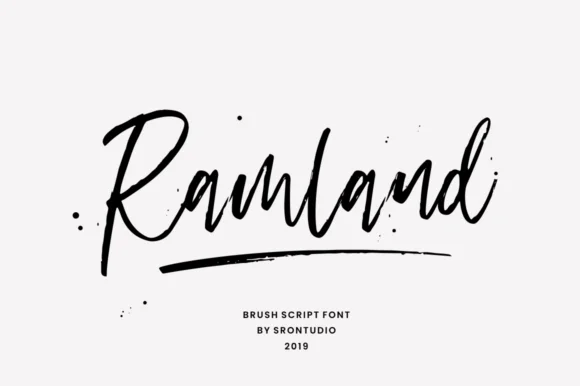



What pairs well with Oakura Font?
Oakura Font is a versatile serif font that works for both headings and body text. Pair it with a contrasting sans-serif or slab serif font to add visual interest and a clear distinction between titles and body copy.




Premium Serif Fonts
★ PremiumWant something with more weights, glyphs, and commercial polish? These premium serif fonts are worth a look.
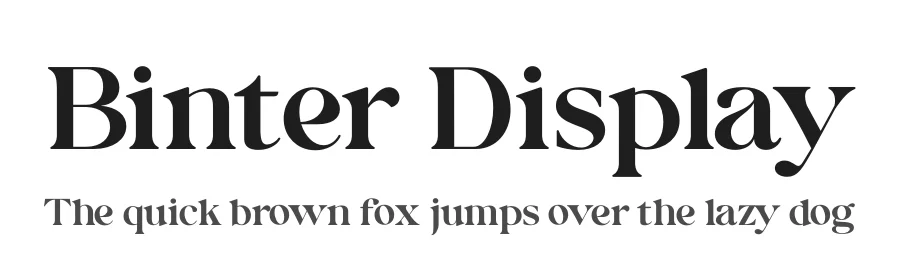



Oakura Font
Reviewed by the FontBoxDL team · Updated October 2026