
 1 / 7
1 / 7About Noir Font
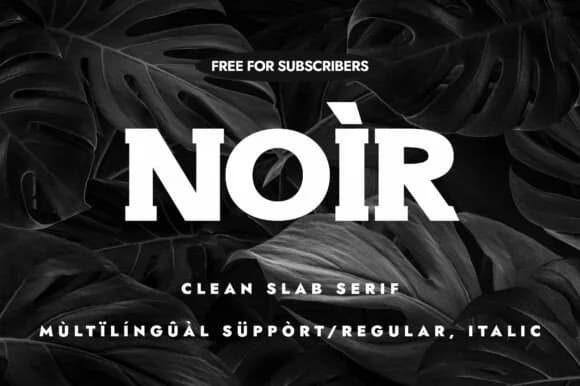
Picture a luxury skincare brand's homepage, or flip through a contemporary design magazine's masthead. That's Noir, the slab serif typeface from Minimalistartstudio, a thoughtfully constructed face that balances geometric strength with refined elegance. What makes it unusual for a display typeface is its flexibility: Noir reads cleanly at large headline sizes and still holds its own in smaller body text, which is rare to find.
This typeface thrives in editorial layouts, restaurant branding, and upscale packaging design where visual weight and confidence become part of the message. Its geometric construction gives it a distinctly contemporary edge, even as slab serifs themselves carry echoes of something more classic. Both regular and italic versions ship together, so you have real typographic range without hunting for separate font files or settling for awkward compromises on style.
Noir works beautifully for luxury product labels, fashion lookbooks, gallery catalogs, and magazine covers where personality and authority need to show up on the page. Legibility pairs naturally with character here, which means your headlines feel distinctive rather than generic. It reads sharp and confident at any size. Get Noir from Creative Fabrica to bring this kind of presence to your next project.
Style & Use Cases
- Overall Style
- Sturdy, Confident, Clean Slab Serif Font
- Use Case
- Headlines, Merch
- Ideal For
- vintage posters, logos, and product packaging
- Pairs With
- a light sans-serif
How to Install Noir Font
Step-by-step instructions for every platform
- 1Download the Noir font file (.ttf or .otf).
- 2Locate the downloaded file in your Downloads folder.
- 3Right-click the font file.
- 4Select "Install" to install for the current user, or "Install for all users" to make it available system-wide.
- 5Noir is now available in Word, Photoshop, Illustrator, and all other apps.
More by Minimalistartstudio
View all →



Browse fonts by theme
Curated collections →Saw a font in a picture? Identify any font from an image with our free Font Finder.
More Slab Serif Fonts
Browse all →







What pairs well with Noir Font?
Noir Font is a slab serif font that shines as a display or heading face. Pair it with a clean sans-serif or serif font for body text — the contrast creates a clear hierarchy while the two styles stay balanced and easy to read.



Noir Font
Reviewed by the FontBoxDL team · Updated September 2026