 Firefox
 1 / 3
1 / 3Loading font…
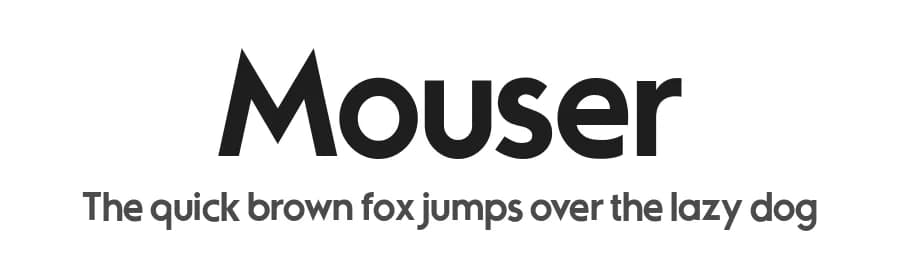
About Mouser Font
OTF/TTF: Mouser (Regular, Italic, Bold, Bold Italic, Light, Light Italic)
Sharkshock 2021. All rights reserved
Designed by Dennis Ludlow 11/10/2021
[email protected]
Mouser has been an ongoing project that originated as a geometric sans of the same name before morphing into a similar, but entirely different family called TypoGraphica. It retains much of its earlier character such as limited contrast, high legibility, and tight spacing. Major changes were made for a simplistic, more cohesive look. This was done to maximize its usefulness for body text while keeping characteristics used for display purposes. Slices to top strokes are much more subtle with styling dialed down to a minimum. This family comes in 6 different versions to meet a variety of needs.
Mouser is equipped with Basic and Extended Latin/diacritics, Cyrillic, kerning, ligatures, and fractions. The demo contains basic Latin and limited punctuation. Try it for website text, applications, or headlines.
The full versions can be purchased for $35 via PayPal or by acquiring a commercial license. Do note that this $35 is for personal use only. Email us or visit
www.sharkshock.net/license
for more information on licensing. Unauthorized usage of our intellectual property is strictly prohibited and may result in legal action.
Thank you for your support!
Tags: sans, publications, basic, book, app, geometric, European, Europe, low contrast, accents, European, diacritics, logo, Sharkshock, lettering, serifs, titling,
Style & Use Cases
- Overall Style
- Clean, Modern, Basic
- Use Case
- Body Text, UI
- Ideal For
- branding, interfaces, and modern layouts
- Pairs With
- a contrasting serif for headings
Similar Fonts
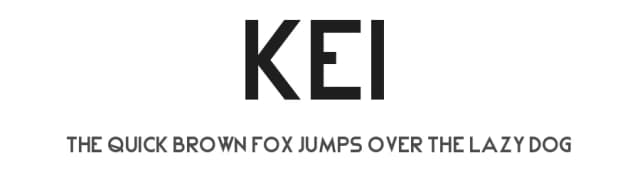
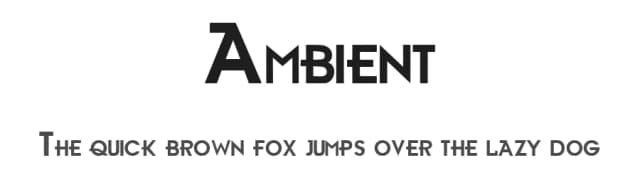
Fonts that look visually alike — matched by our Font Finder model.




Mouser Specifications
| Font Family | Mouser |
| Style | Regular |
| Full Name | Mouser |
| Version | 2.00 |
| Weight | 400 (Regular) |
| Glyph Count | 481 glyphs |
| PostScript Name | Mouser |
| Format | TTF (TrueType) |
| File Size | 56.1 KB |
Languages Supported
Mouser supports 303 languages.
How to Install Mouser Font
Step-by-step instructions for every platform
- 1Download the Mouser font file (.ttf or .otf).
- 2Locate the downloaded file in your Downloads folder.
- 3Right-click the font file.
- 4Select "Install" to install for the current user, or "Install for all users" to make it available system-wide.
- 5Mouser is now available in Word, Photoshop, Illustrator, and all other apps.
More by Sharkshock
View all →

Browse fonts by theme
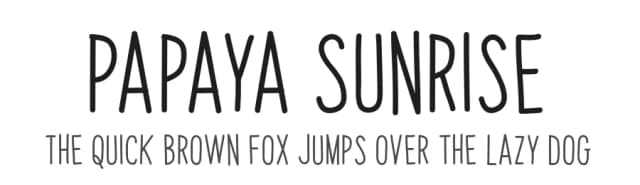
Curated collections →Saw a font in a picture? Identify any font from an image with our free Font Finder.
More Sans Serif Fonts
Browse all →
What pairs well with Mouser Font?
Mouser Font is a versatile sans-serif font that works for both headings and body text. Pair it with a contrasting serif or slab serif font to add visual interest and a clear distinction between titles and body copy.



Premium Sans Serif Fonts
★ PremiumWant something with more weights, glyphs, and commercial polish? These premium sans serif fonts are worth a look.


Mouser Font
by Sharkshock
Reviewed by the FontBoxDL team · Updated June 2026
License: Demo