 Firefox
 1 / 8
1 / 8About Mine Font
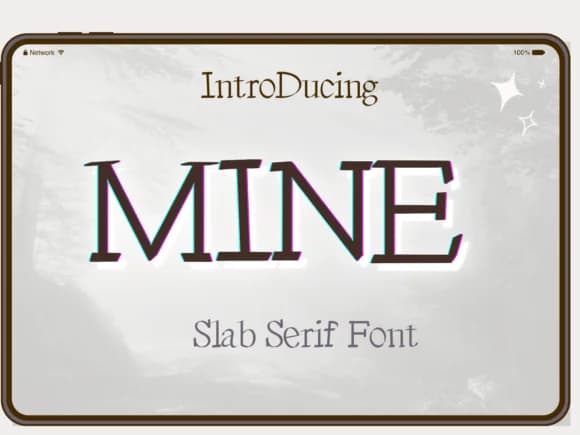
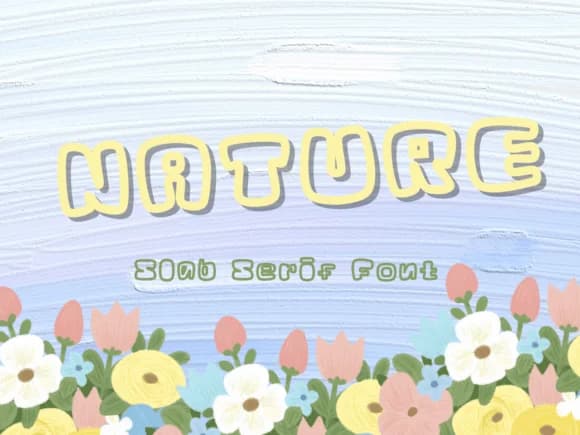
Picture a hand-lettered sign for a small craft shop, where the typeface needs personality without abandoning substance. Mine by Pukka De is a slab-serif typeface with sharp, angular edges that give it an unconventional presence. The geometric weight of its letterforms catches the eye while staying readable, making it ideal for situations where a standard serif feels too formal and rounded fonts feel too soft.
This typeface shines across design work that demands visual interest. Craft brewery labels, vintage concert posters, wedding invitation suites, and DIY wooden signs all benefit from Mine's structured quirkiness. Magazine headers, boutique cosmetics packaging, indie game interfaces, and book covers with attitude each find a home in its distinct personality. The angular strokes create clear visual hierarchy even when used at display sizes, and the consistent weight keeps the typeface functional at smaller scales. There's a boldness here that doesn't sacrifice readability, which is why Mine works equally well for a gallery invitation or a tee-shirt graphic.
The typeface's angular construction holds up at any size, making it reliable for headlines, subheadings, and smaller body text. Grab Mine from Creative Fabrica and add a typeface that feels intentional rather than default.
Style & Use Cases
- Overall Style
- Sturdy, Confident, #letter
- Use Case
- Headlines, Merch
- Ideal For
- vintage posters, logos, and product packaging
- Pairs With
- a light sans-serif
How to Install Mine Font
Step-by-step instructions for every platform
- 1Download the Mine font file (.ttf or .otf).
- 2Locate the downloaded file in your Downloads folder.
- 3Right-click the font file.
- 4Select "Install" to install for the current user, or "Install for all users" to make it available system-wide.
- 5Mine is now available in Word, Photoshop, Illustrator, and all other apps.
More by Pukka De
View all →
Browse fonts by theme
Curated collections →Saw a font in a picture? Identify any font from an image with our free Font Finder.
More Slab Serif Fonts
Browse all →







What pairs well with Mine Font?
Mine Font is a slab serif font that shines as a display or heading face. Pair it with a clean sans-serif or serif font for body text — the contrast creates a clear hierarchy while the two styles stay balanced and easy to read.



Mine Font
by Pukka De
Reviewed by the FontBoxDL team · Updated August 2026