 Firefox
 1 / 5
1 / 5About Lorette Font
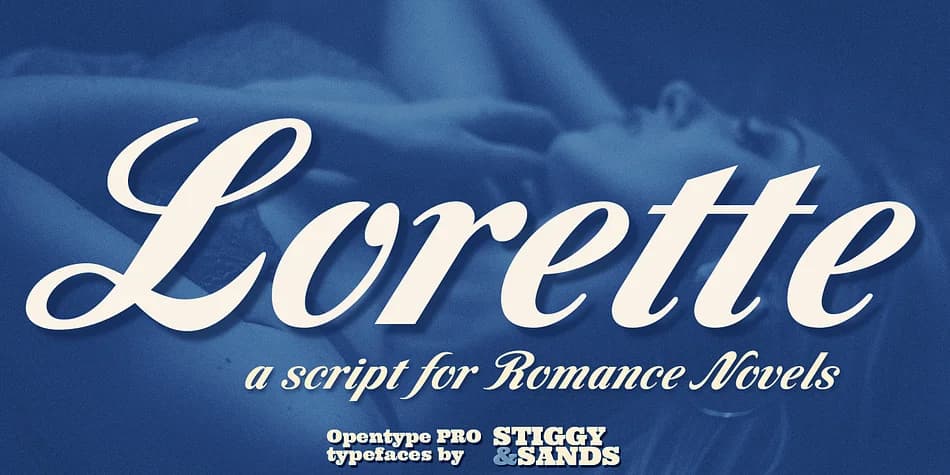
Lorette is a romantic script with authentic vintage flair, designed by Stiggy & Sands. This typeface traces its roots to Laurel, a classic film face from LetterGraphics, but has been substantially expanded into a fully-featured typographic toolkit for contemporary design work.
Where the original offered only basics, Lorette now delivers an extensive character set with professional depth. You get swash capitals that add flourish without feeling overblown, three comprehensive sets of stylistic alternates for lowercase variations, and a collection of elegant ligatures (those f-combinations particularly standout). International language support and around 993 glyphs in total means you can work confidently across multiple markets and contexts. The range of figure styles (tabular, proportional, and oldstyle) let you match numerals to your specific design need.
This is the script for book cover titles, wedding invitation suites, luxury cosmetics packaging, and upscale restaurant menus. Designers working on cookbook covers, jewelry brand identities, and high-end product labels find Lorette strikes the right balance between refinement and readability. The letterforms read as sophisticated without feeling precious or fragile. Lorette is available on Creative Fabrica for anyone building a serious typographic toolkit that demands genuine character and real versatility.
Style & Use Cases
- Overall Style
- Elegant, Flowing
- Use Case
- Invitations, Branding
- Ideal For
- wedding stationery, greeting cards, and signatures
- Pairs With
- a simple uppercase sans
How to Install Lorette Font
Step-by-step instructions for every platform
- 1Download the Lorette font file (.ttf or .otf).
- 2Locate the downloaded file in your Downloads folder.
- 3Right-click the font file.
- 4Select "Install" to install for the current user, or "Install for all users" to make it available system-wide.
- 5Lorette is now available in Word, Photoshop, Illustrator, and all other apps.
More by Stiggy & Sands
View all →
Browse fonts by theme
Curated collections →Saw a font in a picture? Identify any font from an image with our free Font Finder.
More Script Handwritten Fonts
Browse all →







What pairs well with Lorette Font?
Lorette Font is a script font that shines as a display or heading face. Pair it with a clean sans-serif or serif font for body text — the contrast creates a clear hierarchy while the two styles stay balanced and easy to read.



Lorette Font
Reviewed by the FontBoxDL team · Updated July 2026