
 1 / 5
1 / 5About Livorno Pro Font
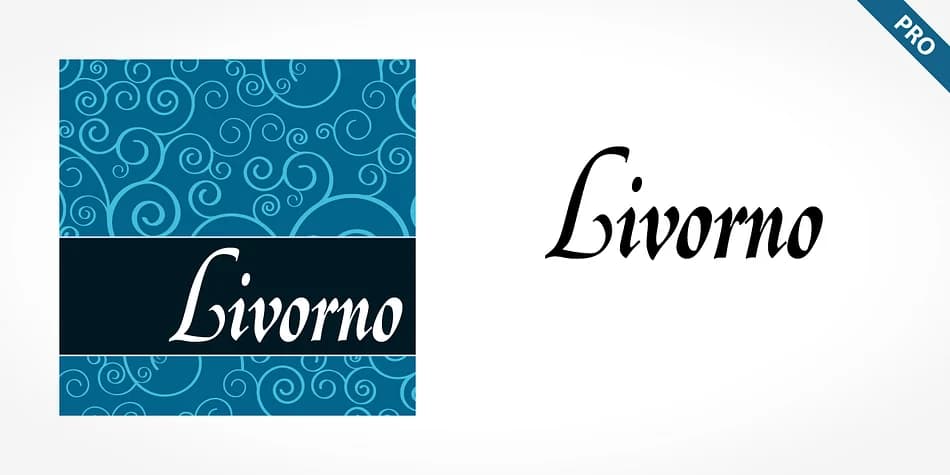
Livorno Pro, designed by SoftMaker, thrives on the contrast between its restrained lowercase and exuberant capitals. Those uppercase letters don't hold back, sporting swashes and flourishes that recall medieval calligraphy and the measured hand of a skilled scribe working with pen and paper. The lowercase stays controlled and legible, serving as a counterpoint while the capitals command attention on the page with their baroque flourishes.
This typeface captures the fluidity and character of freehand penmanship in a digital form you can actually deploy across your projects. Rather than sketching out each elegant letter by hand, you can compose formal text quickly and efficiently, letting the font handle the artistry and technical execution. That balance between restraint and flourish makes it particularly strong for wedding invitation suites, luxury cosmetics packaging, formal gala announcements, upscale restaurant menus, and special event materials. The ornamental capitals also work beautifully for certificate designs, formal book cover headings, or any project where you want dramatic visual impact without overwhelming the overall composition.
Livorno Pro suits designers creating formal, high-end materials where authentic calligraphic character makes a real difference. Available on Creative Fabrica, this typeface brings that carefully crafted sensibility to projects demanding elegance without the manual effort of true hand lettering.
Style & Use Cases
- Overall Style
- Ornate, Gothic
- Use Case
- Logos, Certificates
- Ideal For
- medieval themes, band merch, and tattoo lettering
- Pairs With
- a clean sans-serif for body text
How to Install Livorno Pro Font
Step-by-step instructions for every platform
- 1Download the Livorno Pro font file (.ttf or .otf).
- 2Locate the downloaded file in your Downloads folder.
- 3Right-click the font file.
- 4Select "Install" to install for the current user, or "Install for all users" to make it available system-wide.
- 5Livorno Pro is now available in Word, Photoshop, Illustrator, and all other apps.
More by SoftMaker
View all →

Browse fonts by theme
Curated collections →Saw a font in a picture? Identify any font from an image with our free Font Finder.
More Blackletter Fonts
Browse all →







What pairs well with Livorno Pro Font?
Livorno Pro Font is a blackletter font that shines as a display or heading face. Pair it with a clean serif or sans-serif font for body text — the contrast creates a clear hierarchy while the two styles stay balanced and easy to read.



Livorno Pro Font
by SoftMaker
Reviewed by the FontBoxDL team · Updated June 2026