
 1 / 8
1 / 8About Line Brush Font
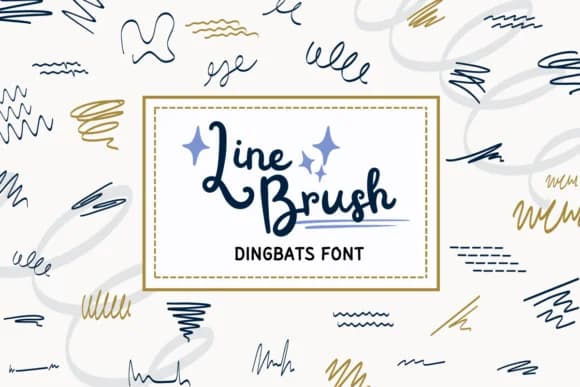
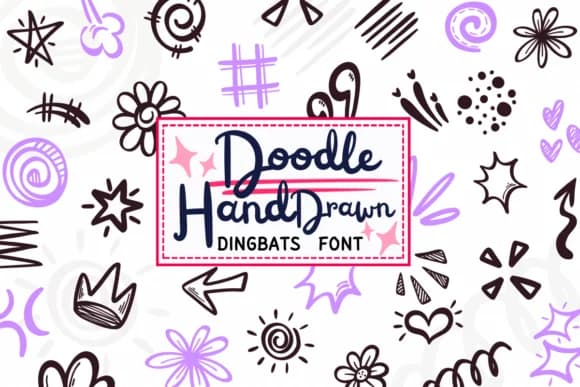
Line Brush by PraewDesigns is a hand-drawn dingbats collection with a sketchy, gestural character that brings genuine personality to any design work. The loose, organic quality works beautifully for hand-lettered poster design, where those imperfect lines read as intentional craft rather than slick perfectionism. You'll find it equally effective in greeting card layouts, wedding invitation suites, and custom labels for artisanal product packaging. The approach makes these marks feel less like clip art and more like actual illustration, which is what hand-drawn dingbats should aspire to be.
Both OTF and TTF formats are included, with full Procreate support for anyone working digitally. Each glyph has that unfinished quality, sitting somewhere between hand-lettered type and loose doodle elements. The real appeal of this kind of font is that it bridges typography and illustration without resorting to generic symbols, which makes it particularly useful for DIY projects, indie product packaging, or any design that needs a handmade feel. When you want your work to look intentional rather than slick and commercial, these marks deliver exactly that.
Get Line Brush on Creative Fabrica and start layering these marks into your next project.
Style & Use Cases
- Overall Style
- Iconographic, Line Brush
- Use Case
- Icons, Accents
- Ideal For
- ornaments, bullets, and decorative flourishes
- Pairs With
- any text font
How to Install Line Brush Font
Step-by-step instructions for every platform
- 1Download the Line Brush font file (.ttf or .otf).
- 2Locate the downloaded file in your Downloads folder.
- 3Right-click the font file.
- 4Select "Install" to install for the current user, or "Install for all users" to make it available system-wide.
- 5Line Brush is now available in Word, Photoshop, Illustrator, and all other apps.
More by PraewDesigns
View all →
Browse fonts by theme
Curated collections →Saw a font in a picture? Identify any font from an image with our free Font Finder.
More Dingbats Fonts
Browse all →







What pairs well with Line Brush Font?
Line Brush Font is a versatile dingbats font that works for both headings and body text. Pair it with a contrasting sans-serif or serif font to add visual interest and a clear distinction between titles and body copy.



Line Brush Font
by PraewDesigns
Reviewed by the FontBoxDL team · Updated July 2026