
 1 / 6
1 / 6About Leafs Font
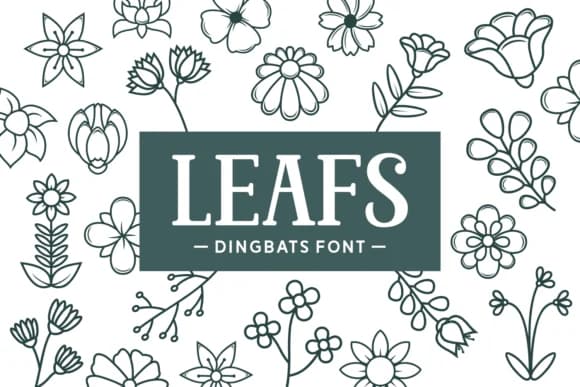
You're laying out a wedding invitation suite when you realize you need botanical elements that look genuinely handmade rather than sourced from a template. Leafs, created by Dito at 7NTypes, is a dingbat font built entirely from sketched flowers and leaves. Each character slot holds a different plant illustration, letting you mix and layer elements freely throughout your layouts.
The font excels for nature-focused wedding stationery, product labels on small-batch candles or herbal teas, and seasonal greeting cards for cottagecore brands. It works beautifully on Etsy shop packaging, DIY gift wrap designs, or environmental nonprofit materials where hand-drawn florals strengthen the message. You can also layer it as repeating background texture in social graphics or create custom botanical borders for printed materials. The sketchy quality keeps everything organic and approachable, even when printed at smaller sizes.
Since Leafs is a dingbat set with numerous character variants, you get plenty of different plant elements to cycle through without falling into repetition. It's the kind of font you reach for whenever a project needs that botanical, handcrafted look. Grab it from Creative Fabrica and start layering in botanical texture.
Style & Use Cases
- Overall Style
- Iconographic, Dingbat Fonts
- Use Case
- Icons, Accents
- Ideal For
- ornaments, bullets, and decorative flourishes
- Pairs With
- any text font
How to Install Leafs Font
Step-by-step instructions for every platform
- 1Download the Leafs font file (.ttf or .otf).
- 2Locate the downloaded file in your Downloads folder.
- 3Right-click the font file.
- 4Select "Install" to install for the current user, or "Install for all users" to make it available system-wide.
- 5Leafs is now available in Word, Photoshop, Illustrator, and all other apps.
More by Dito (7NTypes)
View all →
Browse fonts by theme
Curated collections →Saw a font in a picture? Identify any font from an image with our free Font Finder.
More Dingbats Fonts
Browse all →







What pairs well with Leafs Font?
Leafs Font is a versatile dingbats font that works for both headings and body text. Pair it with a contrasting sans-serif or serif font to add visual interest and a clear distinction between titles and body copy.



Leafs Font
Reviewed by the FontBoxDL team · Updated July 2026