 Firefox
 1 / 5
1 / 5About LAST TANGO JNL Font
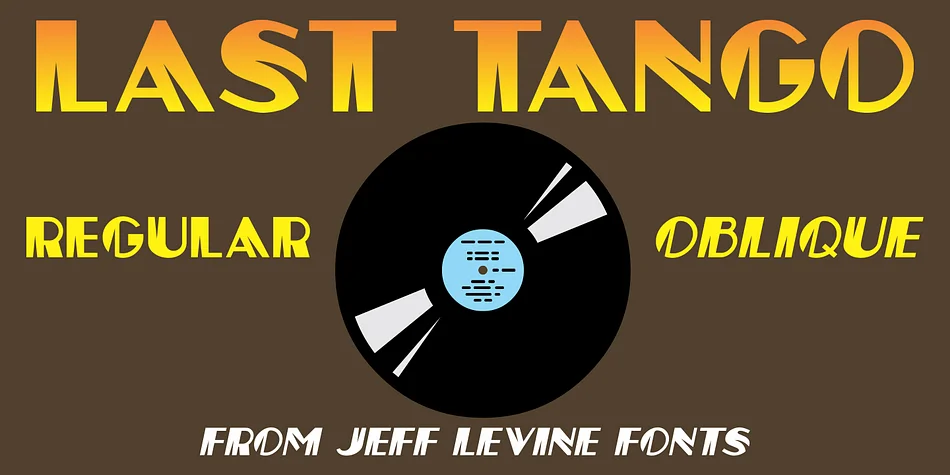
LAST TANGO JNL by Jeff Levine Fonts is a decorative typeface rooted in early 20th-century dance culture and the boldness of the Art Deco age. Inspired by 1924 sheet music, this design captures the theatrical energy of the era through its signature thick-and-thin strokes, which create a distinctive visual rhythm on the page.
The defining feature here is the slash motif cut cleanly through each character, a novelty technique that adds forward motion and visual intrigue. This isn't just a style flourish, it's what gives the typeface its character and makes it stand out from standard display fonts. You'll find it works beautifully for vintage dance event posters, speakeasy and cocktail lounge signage, retro wedding invitations, and theatrical playbills that need to feel rooted in period authenticity. The slashed letterforms also work well for jazz-inspired packaging and vinyl record cover concepts.
Both regular and oblique versions come included, so you can shift emphasis and angle as your project calls for. Use the oblique for italic moments or layered compositions. The combination of novelty letterforms and flexibility across two styles makes this a solid choice when your brief calls for that specific jazz age energy. Pick up LAST TANGO JNL on Creative Fabrica and add some vintage ballroom flair to your next project.
Style & Use Cases
- Overall Style
- Bold, Distinctive
- Use Case
- Headlines, Posters
- Ideal For
- logos, packaging, and standout titles
- Pairs With
- a neutral sans-serif
How to Install LAST TANGO JNL Font
Step-by-step instructions for every platform
- 1Download the LAST TANGO JNL font file (.ttf or .otf).
- 2Locate the downloaded file in your Downloads folder.
- 3Right-click the font file.
- 4Select "Install" to install for the current user, or "Install for all users" to make it available system-wide.
- 5LAST TANGO JNL is now available in Word, Photoshop, Illustrator, and all other apps.
More by Jeff Levine Fonts
View all →



Browse fonts by theme
Curated collections →Saw a font in a picture? Identify any font from an image with our free Font Finder.
More Decorative Fonts
Browse all →







What pairs well with LAST TANGO JNL Font?
LAST TANGO JNL Font is a decorative font that shines as a display or heading face. Pair it with a clean sans-serif or serif font for body text — the contrast creates a clear hierarchy while the two styles stay balanced and easy to read.




LAST TANGO JNL Font
Reviewed by the FontBoxDL team · Updated June 2026