 Firefox
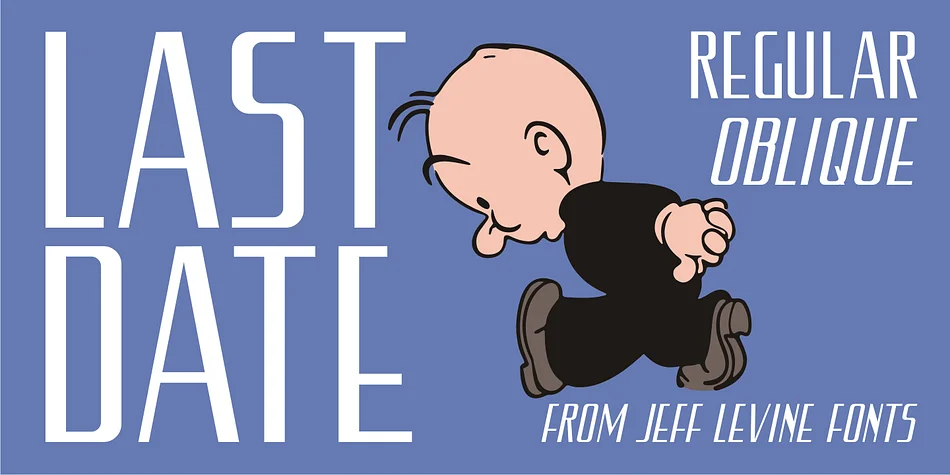
About LAST DATE JNL Font
You're laying out a speakeasy-themed poster and searching for a typeface with genuine vintage personality that feels rooted in design history. LAST DATE JNL, designed by Jeff Levine Fonts, traces back to hand-lettered typography on the cover of a 1919 song. That original source material presented an interesting design puzzle: it mixed rounded, organic Art Nouveau-influenced letters alongside squared forms that echoed the geometric Art Deco aesthetic just beginning to emerge.
When brought together as a complete alphabet, those contrasting approaches created visual tension rather than cohesion. Rather than attempt to balance both sensibilities, the designer made a confident choice, committing fully to the squared, structured direction of the Art Deco movement. That decisive resolution gave LAST DATE JNL its clean, purposeful character and visual coherence.
This typeface excels for vintage cocktail menus, 1920s wedding invitations, art deco event posters, and retro retail signage. The squared letterforms deliver real clarity and presence without unnecessary heaviness, even at the large display sizes where many period typefaces begin to feel overworked. You get both regular and oblique versions, offering stability for straightforward setting and dynamic angles when you need visual momentum. Pick it up on Creative Fabrica and start bringing this distinctive chapter of type history into your next project.
Style & Use Cases
- Overall Style
- Bold, Distinctive
- Use Case
- Headlines, Posters
- Ideal For
- logos, packaging, and standout titles
- Pairs With
- a neutral sans-serif
How to Install LAST DATE JNL Font
Step-by-step instructions for every platform
- 1Download the LAST DATE JNL font file (.ttf or .otf).
- 2Locate the downloaded file in your Downloads folder.
- 3Right-click the font file.
- 4Select "Install" to install for the current user, or "Install for all users" to make it available system-wide.
- 5LAST DATE JNL is now available in Word, Photoshop, Illustrator, and all other apps.
More by Jeff Levine Fonts
View all →



Browse fonts by theme
Curated collections →Saw a font in a picture? Identify any font from an image with our free Font Finder.
More Decorative Fonts
Browse all →







What pairs well with LAST DATE JNL Font?
LAST DATE JNL Font is a decorative font that shines as a display or heading face. Pair it with a clean sans-serif or serif font for body text — the contrast creates a clear hierarchy while the two styles stay balanced and easy to read.




LAST DATE JNL Font
Reviewed by the FontBoxDL team · Updated June 2026