 Firefox
 1 / 8
1 / 8About Kinderlab Font
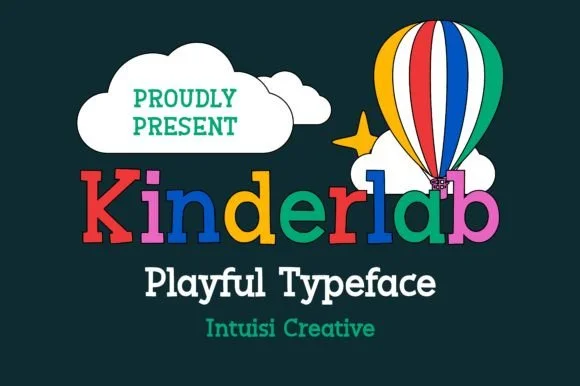
Imagine you're laying out the header for a children's picture book: you need something warm and inviting that works alongside illustrations without overwhelming them. That's where Kinderlab steps in. Designed by IntuisiCreative, this slab serif combines structured letterforms with a hand-sketched personality that reads honest rather than overly cute.
The typeface finds real traction in specific applications. Classroom poster headers shine with its friendly weight and confident readability at large sizes. DIY birthday party invitations gain genuine personality from Kinderlab's rounded serifs and informal stroke variations. Storybook covers and picture book typography lean hard on that sketched quality to set a tone that feels youthful but intentional, never saccharine. Craft designers also reach for it when making kids' product labels and handmade gift tag designs, where authenticity and human touch matter far more than mechanical polish.
Because the letterforms derive from hand-drawn reference, you get subtle weight variation throughout that mimics pencil work without sacrificing legibility at any scale. This matters especially when you're running type large on signage or packaging. The rounded serifs remain readable and charming even at smaller sizes on tags. Get Kinderlab on Creative Fabrica and bring genuine character to your next project.
Style & Use Cases
- Overall Style
- Sturdy, Confident, Slab
- Use Case
- Headlines, Merch
- Ideal For
- vintage posters, logos, and product packaging
- Pairs With
- a light sans-serif
How to Install Kinderlab Font
Step-by-step instructions for every platform
- 1Download the Kinderlab font file (.ttf or .otf).
- 2Locate the downloaded file in your Downloads folder.
- 3Right-click the font file.
- 4Select "Install" to install for the current user, or "Install for all users" to make it available system-wide.
- 5Kinderlab is now available in Word, Photoshop, Illustrator, and all other apps.
Browse fonts by theme
Curated collections →Saw a font in a picture? Identify any font from an image with our free Font Finder.
More Slab Serif Fonts
Browse all →







What pairs well with Kinderlab Font?
Kinderlab Font is a slab serif font that shines as a display or heading face. Pair it with a clean sans-serif or serif font for body text — the contrast creates a clear hierarchy while the two styles stay balanced and easy to read.




Kinderlab Font
Reviewed by the FontBoxDL team · Updated August 2026