
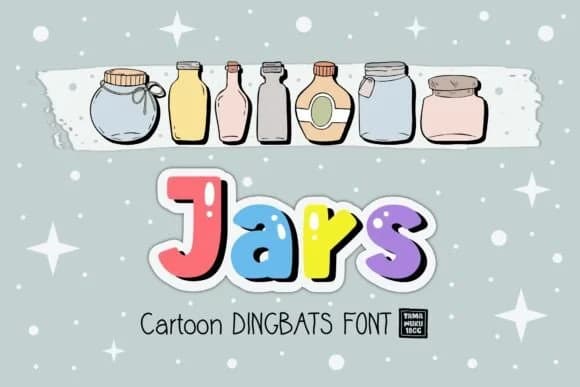
 1 / 3
1 / 3About Jars Font
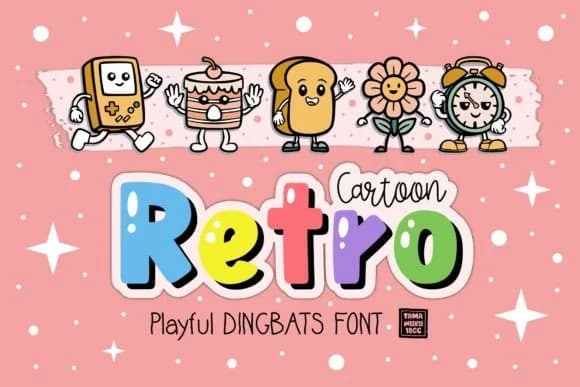
Jars brings a playful, whimsical energy that makes any design feel more human and welcoming. Designed by DREAMs Soul G., this dingbats font transforms simple keystrokes into charming hand-drawn symbols and decorative elements that feel genuinely hand-crafted without the actual hand-drawing required.
Layer these glyphs into scrapbooking layouts, build custom sticker sets for stationery, design embellished greeting cards, or create icon systems for digital interfaces. The symbol collection covers all these applications and adapts well beyond them too. The cartoon-like quality gives your work an approachable, artisanal feel while saving you hours of manual illustration time. Use it to add warmth to packaging labels, punch up DIY planner spreads, create illustrated borders for wedding stationery, or design decorative elements for children's coloring books. What matters here is how flexibly these symbols work in modern designs and vintage-inspired projects alike, so the font adapts to your direction rather than forcing a specific aesthetic on your work.
The collection includes plenty of variation, making it simple to build cohesive visual systems across projects without repeating the same marks. Pair Jars with a clean, minimal sans-serif to let the symbols breathe and balance their playfulness with structured layouts and organized typography. Grab it on Creative Fabrica and let these doodles transform your next project into something with personality.
Style & Use Cases
- Overall Style
- Iconographic, Dingbats
- Use Case
- Icons, Accents
- Ideal For
- ornaments, bullets, and decorative flourishes
- Pairs With
- any text font
How to Install Jars Font
Step-by-step instructions for every platform
- 1Download the Jars font file (.ttf or .otf).
- 2Locate the downloaded file in your Downloads folder.
- 3Right-click the font file.
- 4Select "Install" to install for the current user, or "Install for all users" to make it available system-wide.
- 5Jars is now available in Word, Photoshop, Illustrator, and all other apps.
More by DREAMs Soul G.
View all →
Browse fonts by theme
Curated collections →Saw a font in a picture? Identify any font from an image with our free Font Finder.
More Dingbats Fonts
Browse all →







What pairs well with Jars Font?
Jars Font is a versatile dingbats font that works for both headings and body text. Pair it with a contrasting sans-serif or serif font to add visual interest and a clear distinction between titles and body copy.



Jars Font
Reviewed by the FontBoxDL team · Updated July 2026