 Firefox
 1 / 8
1 / 8About Indigosplash Font
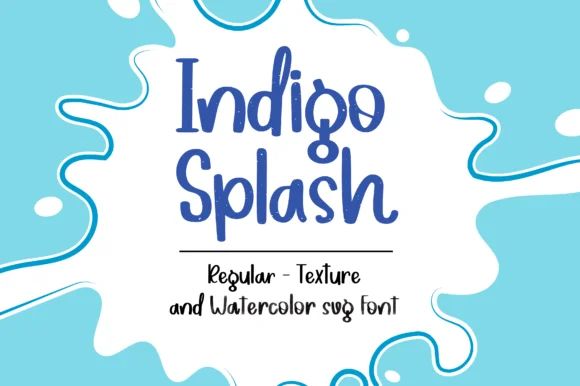
Picture yourself creating stickers for a small children's clothing line. You need a typeface that feels handmade without looking clumsy. Indigosplash by MTK Studio delivers that balance with three distinct rendering styles that keep things fresh.
The font comes in Regular, Textured, and Watercolor SVG versions, each with its own personality. The Regular style offers clean, readable letterforms perfect for product packaging and custom bookmarks. Switch to Textured for a rougher, more organic feel in DIY craft signage and classroom resource designs. The Watercolor SVG version captures the look of actual brush strokes (it's an SVG file, so you get vector-clean scaling at any size without jagged edges). Use it across printable quote collections, sticker designs, or brand assets for indie makers on Etsy.
That watercolor quality is what sets this apart from generic playful fonts. It doesn't feel slapped-on; the indigo blue hues and organic texture suggest genuine artistry. The three-style system means you're not locked into one mood. Pick Regular for smaller text where clarity matters, and move to the more textured versions when you want expressive, bold headlines. Since it's available on Creative Fabrica, you can grab the whole set with your membership and start designing right away.
Style & Use Cases
- Overall Style
- Sturdy, Confident, Watercolor Font
- Use Case
- Headlines, Merch
- Ideal For
- vintage posters, logos, and product packaging
- Pairs With
- a light sans-serif
How to Install Indigosplash Font
Step-by-step instructions for every platform
- 1Download the Indigosplash font file (.ttf or .otf).
- 2Locate the downloaded file in your Downloads folder.
- 3Right-click the font file.
- 4Select "Install" to install for the current user, or "Install for all users" to make it available system-wide.
- 5Indigosplash is now available in Word, Photoshop, Illustrator, and all other apps.
Browse fonts by theme
Curated collections →Saw a font in a picture? Identify any font from an image with our free Font Finder.
More Slab Serif Fonts
Browse all →







What pairs well with Indigosplash Font?
Indigosplash Font is a slab serif font that shines as a display or heading face. Pair it with a clean sans-serif or serif font for body text — the contrast creates a clear hierarchy while the two styles stay balanced and easy to read.




Indigosplash Font
by MTK Studio
Reviewed by the FontBoxDL team · Updated August 2026