 Firefox
 1 / 8
1 / 8About Golden Slayer Font
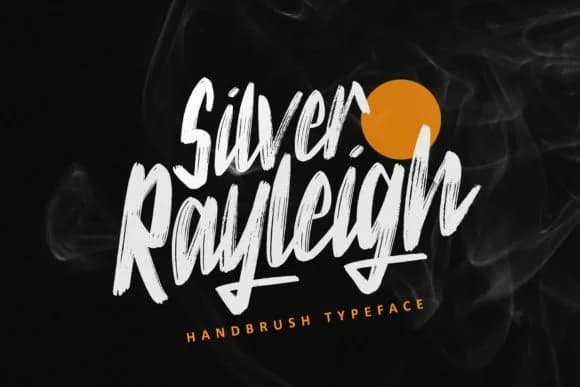
Picture yourself designing a wedding invitation suite that feels personal and bold, or creating Etsy product labels that jump off the shelf with personality. Golden Slayer, designed by ZHR Creative, is a handwritten script font that brings casual energy without sacrificing impact. The loose letterforms and organic baseline make it feel authentic, like someone actually wrote it by hand, which works beautifully across greeting cards, boutique packaging, and hand-lettered signage. It's the kind of script that doesn't try too hard but lands every time.
This font shines when you need warmth mixed with real personality. DIY craft projects come alive with its friendly character through vinyl decals, product tags, and title treatments on small-batch candle labels. Event designers reach for it when designing save-the-dates and favor tags. Casual but never sloppy, it translates equally well to posters or Instagram graphics without losing its voice. The weight lives in that sweet spot between legible and expressive, reading cleanly at large display sizes while keeping its handmade charm intact.
Available on Creative Fabrica, Golden Slayer is ready to bring natural warmth and character to your next project. Grab a copy and let its personality transform your designs.
Style & Use Cases
- Overall Style
- Elegant, Flowing, Golden Slayer
- Use Case
- Invitations, Branding
- Ideal For
- wedding stationery, greeting cards, and signatures
- Pairs With
- a simple uppercase sans
How to Install Golden Slayer Font Font
Step-by-step instructions for every platform
- 1Download the Golden Slayer Font font file (.ttf or .otf).
- 2Locate the downloaded file in your Downloads folder.
- 3Right-click the font file.
- 4Select "Install" to install for the current user, or "Install for all users" to make it available system-wide.
- 5Golden Slayer Font is now available in Word, Photoshop, Illustrator, and all other apps.
More by ZHR Creative
View all →
Browse fonts by theme
Curated collections →Saw a font in a picture? Identify any font from an image with our free Font Finder.
More Script Handwritten Fonts
Browse all →







What pairs well with Golden Slayer Font?
Golden Slayer Font is a script font that shines as a display or heading face. Pair it with a clean sans-serif or serif font for body text — the contrast creates a clear hierarchy while the two styles stay balanced and easy to read.



Golden Slayer Font
by ZHR Creative
Reviewed by the FontBoxDL team · Updated August 2026