 Firefox
 1 / 9
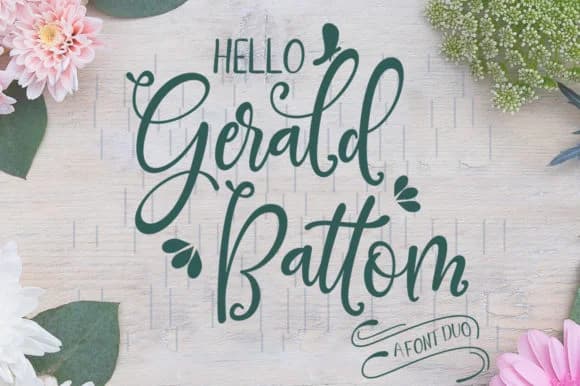
1 / 9About Gerald Battom Font
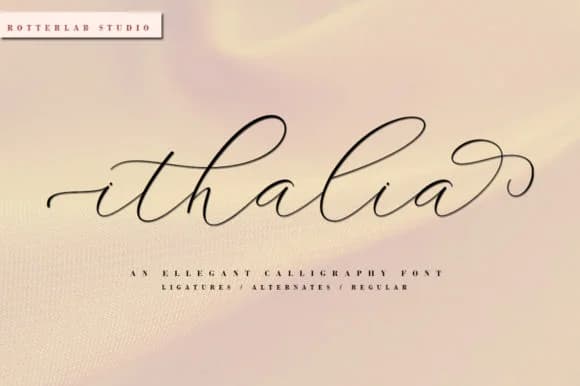
Picture yourself laying out your first wedding invitation suite. You want script that feels like handwriting but reads clearly at small sizes without any compromise. Gerald Battom, designed by rotterdam labs studio, is a script and sans duo built for exactly that situation, pairing a flowing script typeface with a grounded companion that keeps everything anchored and professional.
The script does genuine work on wedding invitation suites, greeting card collections, and cosmetics branding where warmth and personality matter most. You'll also find it serving well on event stationery, packaging labels, and brand identity systems where you need handmade character without losing legibility. Both typefaces in the duo handle display and body text roles, so you can mix them across a single project without breaking visual coherence. Headers stay expressive and energetic while supporting text remains completely readable, maintaining that hand-touched feeling throughout.
Scale this font up and the handwritten details become your biggest asset, which is where the typeface really earns its place in your toolkit. The sans component prevents any drift into illegibility, a practical balance that matters on everything from large posters to small product tags. Both versions wait on Creative Fabrica for projects that need human warmth without technical sacrifice or loss of clarity.
Style & Use Cases
- Overall Style
- Elegant, Flowing, Gerald Battom
- Use Case
- Invitations, Branding
- Ideal For
- wedding stationery, greeting cards, and signatures
- Pairs With
- a simple uppercase sans
How to Install Gerald Battom Font Font
Step-by-step instructions for every platform
- 1Download the Gerald Battom Font font file (.ttf or .otf).
- 2Locate the downloaded file in your Downloads folder.
- 3Right-click the font file.
- 4Select "Install" to install for the current user, or "Install for all users" to make it available system-wide.
- 5Gerald Battom Font is now available in Word, Photoshop, Illustrator, and all other apps.
More by rotterlabstudio
View all →
Browse fonts by theme
Curated collections →Saw a font in a picture? Identify any font from an image with our free Font Finder.
More Script Handwritten Fonts
Browse all →







What pairs well with Gerald Battom Font?
Gerald Battom Font is a script font that shines as a display or heading face. Pair it with a clean sans-serif or serif font for body text — the contrast creates a clear hierarchy while the two styles stay balanced and easy to read.



Gerald Battom Font
Reviewed by the FontBoxDL team · Updated August 2026