 Firefox
 1 / 8
1 / 8About Genov Font
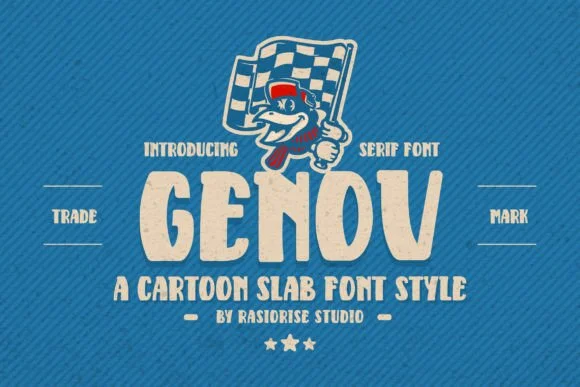
This typeface oozes retro groove and genuine visual personality. Genov, a display slab-serif designed by Rasiorise Studio, channels authentic 1970s and 80s character with its rounded edges and cartoon-like warmth, a design that feels simultaneously nostalgic and approachable.
Fonts that don't take themselves seriously have real appeal, and Genov commits fully to that playful sensibility. It excels in applications where visual personality genuinely drives the work: vintage cereal box lettering and custom packaging design, retro diner menus and hand-painted signage aesthetics, quirky craft beer label design, or 70s-inspired podcast cover artwork. The bold weight and smooth letterforms make headlines pop without feeling heavy-handed, striking that difficult balance between hand-drawn casualness and intentional polish. Its rounded slab structure gives any headline a warm, approachable feel that works particularly well for brand identities, record album artwork, social media graphics, and any project where visual personality matters more than corporate polish.
Pair it with a straightforward, modern sans-serif for body copy, letting Genov own all the visual interest in titles and headers. You'll find it on Creative Fabrica, ready to bring retro authenticity and character to your next design project.
Style & Use Cases
- Overall Style
- Sturdy, Confident, Serif Cartoon Font
- Use Case
- Headlines, Merch
- Ideal For
- vintage posters, logos, and product packaging
- Pairs With
- a light sans-serif
How to Install Genov Font
Step-by-step instructions for every platform
- 1Download the Genov font file (.ttf or .otf).
- 2Locate the downloaded file in your Downloads folder.
- 3Right-click the font file.
- 4Select "Install" to install for the current user, or "Install for all users" to make it available system-wide.
- 5Genov is now available in Word, Photoshop, Illustrator, and all other apps.
Browse fonts by theme
Curated collections →Saw a font in a picture? Identify any font from an image with our free Font Finder.
More Slab Serif Fonts
Browse all →







What pairs well with Genov Font?
Genov Font is a slab serif font that shines as a display or heading face. Pair it with a clean sans-serif or serif font for body text — the contrast creates a clear hierarchy while the two styles stay balanced and easy to read.




Genov Font
Reviewed by the FontBoxDL team · Updated September 2026