 Firefox
 1 / 6
1 / 6About Everglow Font
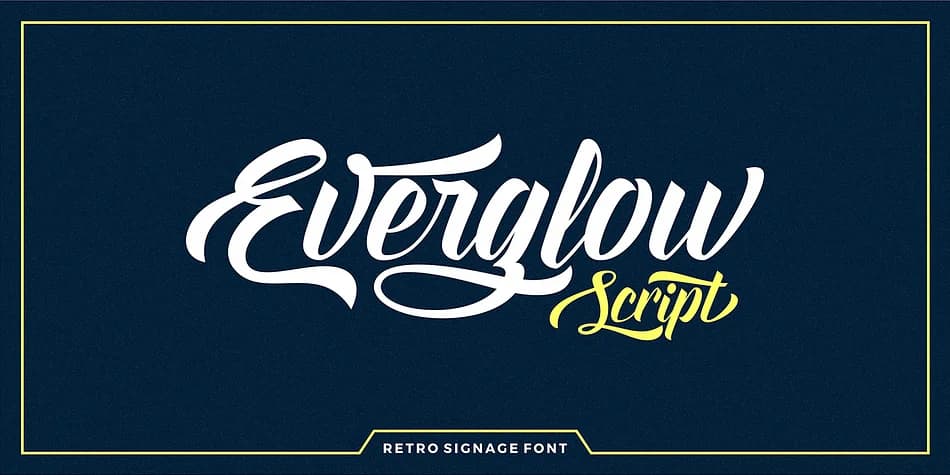
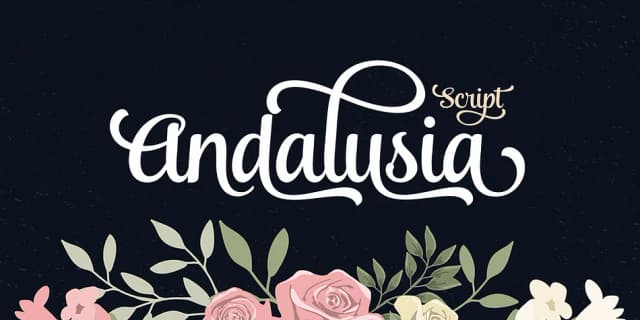
This font captures that retro signage charm, bold and genuinely unafraid. Everglow Script, designed by Seniors Studio, brings hand-drawn warmth to work that demands personality and visual staying power. The 560+ glyphs and 322 character alternates ensure you're never locked into one look per letter. Swap forms within a single word or phrase to keep layouts feeling organic and human-made rather than templated or overly controlled.
OpenType stylistic alternates, ligatures, ornaments, and multilingual support make this font flexible across different tools and global languages. Access the full character set through Adobe Creative Suite, Word 2010 and later, or dedicated font utilities like Font Book, Nexus Font, PopChar, and Character Map. You get initial and terminal letter forms that create natural flow and rhythm across multiple lines, plus decorative swashes and ornamental accents without excess weight. Deploy it for vintage storefront signage, artisanal product label suites, hand-lettered menu cards and window displays, or cohesive retro brand identity systems. Each context brings out different strengths and facets of the typeface.
Pair Everglow with a minimal, clean sans-serif for body text and supporting headlines to maintain readability and visual balance. Grab it from Creative Fabrica and add nostalgic craft to your next project.
Style & Use Cases
- Overall Style
- Elegant, Flowing
- Use Case
- Invitations, Branding
- Ideal For
- wedding stationery, greeting cards, and signatures
- Pairs With
- a simple uppercase sans
How to Install Everglow Font
Step-by-step instructions for every platform
- 1Download the Everglow font file (.ttf or .otf).
- 2Locate the downloaded file in your Downloads folder.
- 3Right-click the font file.
- 4Select "Install" to install for the current user, or "Install for all users" to make it available system-wide.
- 5Everglow is now available in Word, Photoshop, Illustrator, and all other apps.
More by Seniors Studio
View all →
Browse fonts by theme
Curated collections →Saw a font in a picture? Identify any font from an image with our free Font Finder.
More Script Handwritten Fonts
Browse all →







What pairs well with Everglow Font?
Everglow Font is a script font that shines as a display or heading face. Pair it with a clean sans-serif or serif font for body text — the contrast creates a clear hierarchy while the two styles stay balanced and easy to read.



Everglow Font
Reviewed by the FontBoxDL team · Updated July 2026