
 1 / 8
1 / 8About Dreaming Tree Font
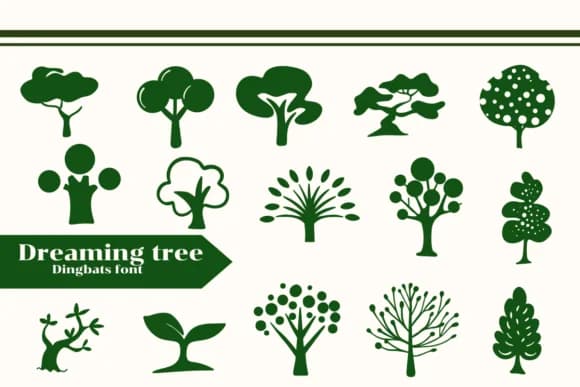
Picture yourself laying out a vintage-inspired children's storybook, searching for decorative elements that feel hand-drawn rather than corporate. Dreaming Tree, a dingbats font by Apiwat Type, gives you exactly that: a set of nature-inspired ornaments and symbolic forms that carry genuine personality without looking manufactured.
This collection works beautifully across hand-lettered birth announcements, botanical journal covers, custom nursery wall art, and personalized children's book illustrations. The glyphs lean into the mystical and whimsical side of nature design, pulling from trees, figures, and abstract forms that suggest wonder without spelling it out. Rather than treating ornaments as decoration, Dreaming Tree positions them as content themselves. Each character carries that handcrafted quality you need when designs matter: when someone's buying a product in a shop, receiving an invitation, or looking at a printed cover. The font includes multiple weights and carefully considered alternates, so you can shift emphasis and scale freely without losing the sense of intentionality behind each mark.
You'll discover the font truly shines at larger sizes, where intricate details and the play of line weight become unmissable. Pick up Dreaming Tree on Creative Fabrica and you'll have a library of elements ready for any project that needs nature and wonder baked in.
Style & Use Cases
- Overall Style
- Iconographic, Fonts
- Use Case
- Icons, Accents
- Ideal For
- ornaments, bullets, and decorative flourishes
- Pairs With
- any text font
How to Install Dreaming Tree Font
Step-by-step instructions for every platform
- 1Download the Dreaming Tree font file (.ttf or .otf).
- 2Locate the downloaded file in your Downloads folder.
- 3Right-click the font file.
- 4Select "Install" to install for the current user, or "Install for all users" to make it available system-wide.
- 5Dreaming Tree is now available in Word, Photoshop, Illustrator, and all other apps.
More by Apiwat Type
View all →
Browse fonts by theme
Curated collections →Saw a font in a picture? Identify any font from an image with our free Font Finder.
More Dingbats Fonts
Browse all →







What pairs well with Dreaming Tree Font?
Dreaming Tree Font is a versatile dingbats font that works for both headings and body text. Pair it with a contrasting sans-serif or serif font to add visual interest and a clear distinction between titles and body copy.



Dreaming Tree Font
by Apiwat Type
Reviewed by the FontBoxDL team · Updated August 2026